The MUZAK WordPress Theme has just received a powerful new update (v1.1.3) that introduces the Songs post type, complete with lyrics integration via the Genius API. This feature makes it easier than ever to manage songs, display lyrics, and organize music content across your site.
What’s New in MUZAK 1.1.3
- Songs Post Type – Add and manage songs directly in WordPress.
- Lyrics Import via Genius API – Automatically fetch lyrics and metadata.
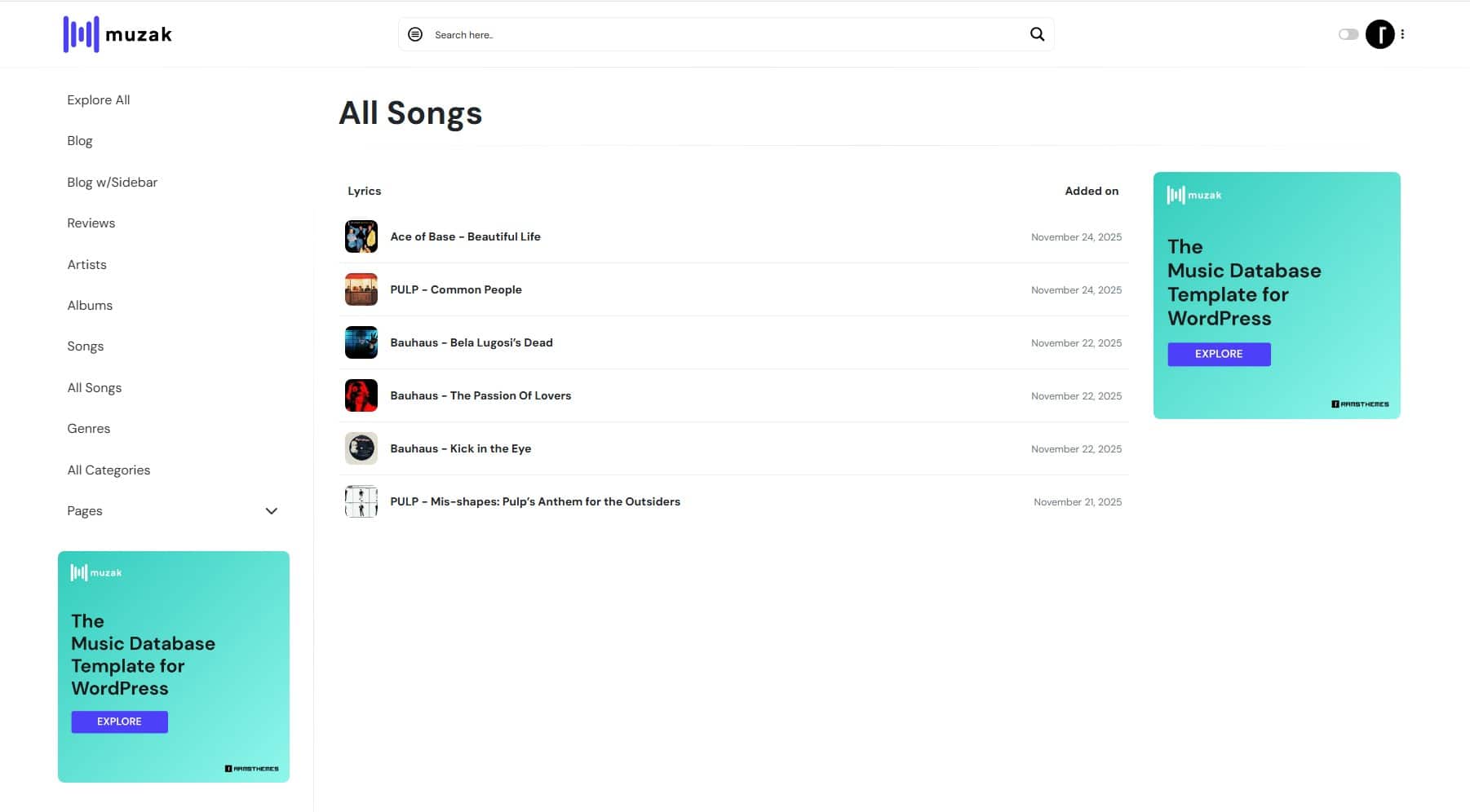
- All Songs Page Template – Display all songs in a table format on the frontend.
- Songs Tab in Albums – Connect songs to albums for better organization.
- Home Songs Slider Module – Showcase selected or latest songs on your homepage.
Before all: Create a Songs Post Type
To make the new Songs module work properly in the MUZAK Theme, you first need to create a custom post type using the CPTUI (Custom Post Type UI) plugin:
- Go to CPTUI – Add/Edit Post Types.
- Fill in the required fields:
• Post Type Slug: songs
• Plural Label: Songs
• Singular Label: Song
• Click Populate Missing Labels to auto‑fill the rest of the labels.
• Configure the following options: Has Archive (so the post type has its own archive page) and Menu Position (to place it neatly in the WordPress admin menu).
• On Supports, mark the showed options.
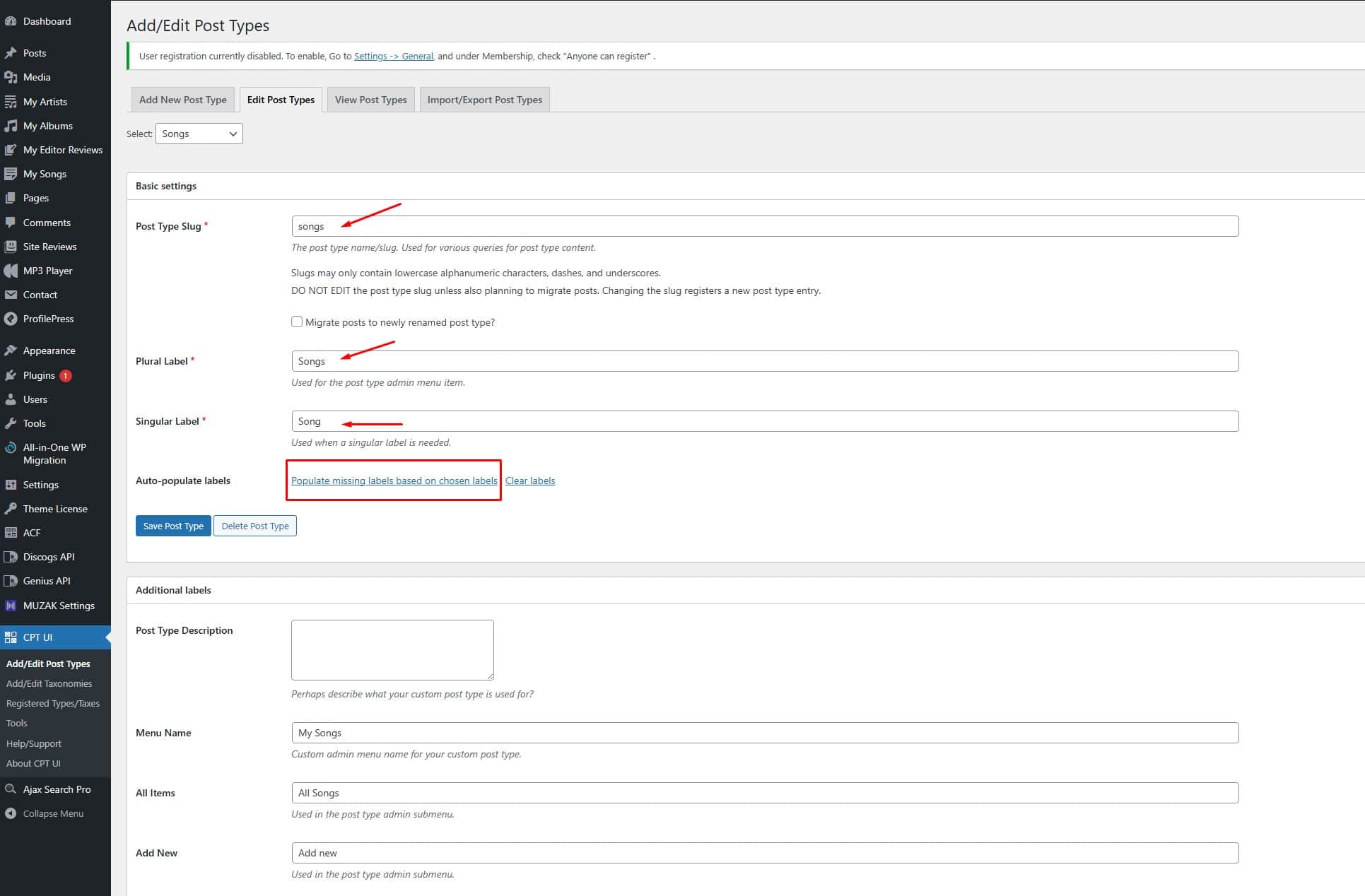
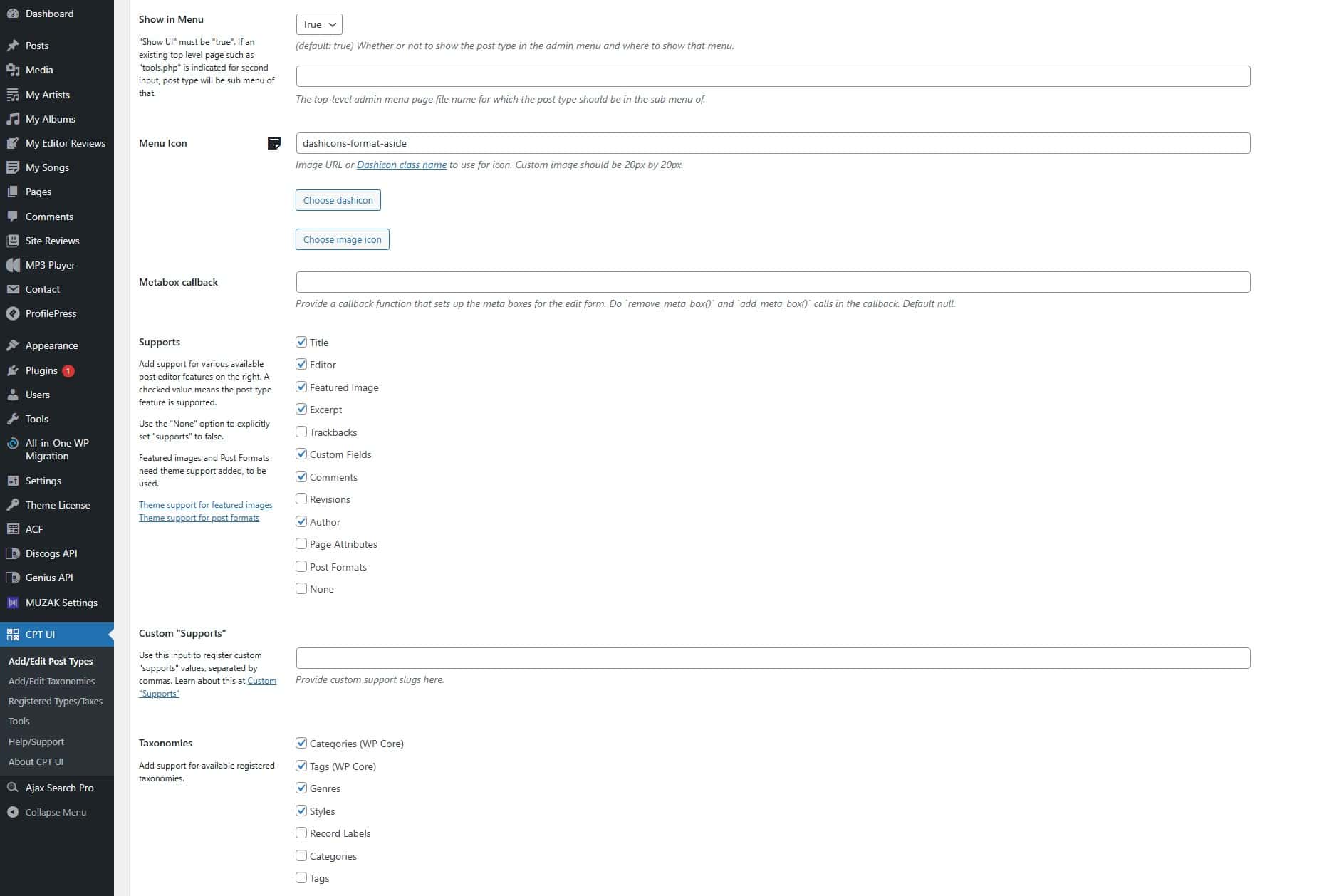
Save changes. Now the Songs Post Type is ready in your WordPress dashboard, and you can start adding songs, importing lyrics with the Genius API, and using the new templates and modules included in MUZAK v1.1.3.
How to use the Lyrics Feature on MUZAK Theme
Step 1: Create a Genius API Access Token
To import lyrics automatically, you’ll need a Genius API * token. Here’s how to get it:
- Go to Genius API.
- Sign in with your Genius account (or create one if you don’t have it).
- Click Create New API Client.
- Fill in the required details (App name, website, etc.).
- Once approved, you’ll Generate an Access Token. Copy this token — you’ll need it in the next step.
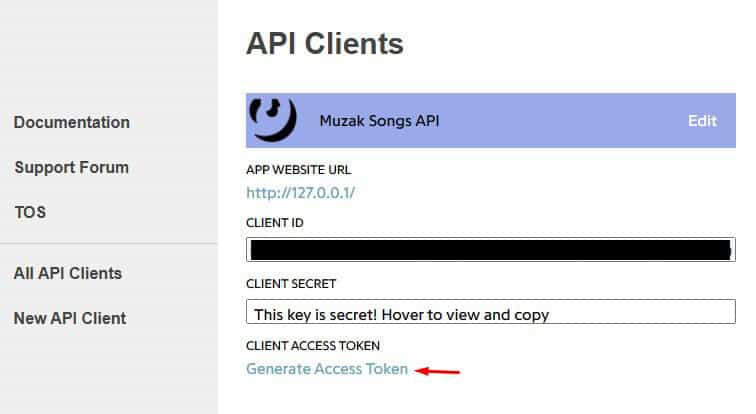
Step 2: Add Genius API Token to MUZAK Theme
- In your WordPress dashboard, go to MUZAK Theme Settings.
- Open the new Genius API tab.
- Paste your Genius Access Token into the field provided.
- Save changes.
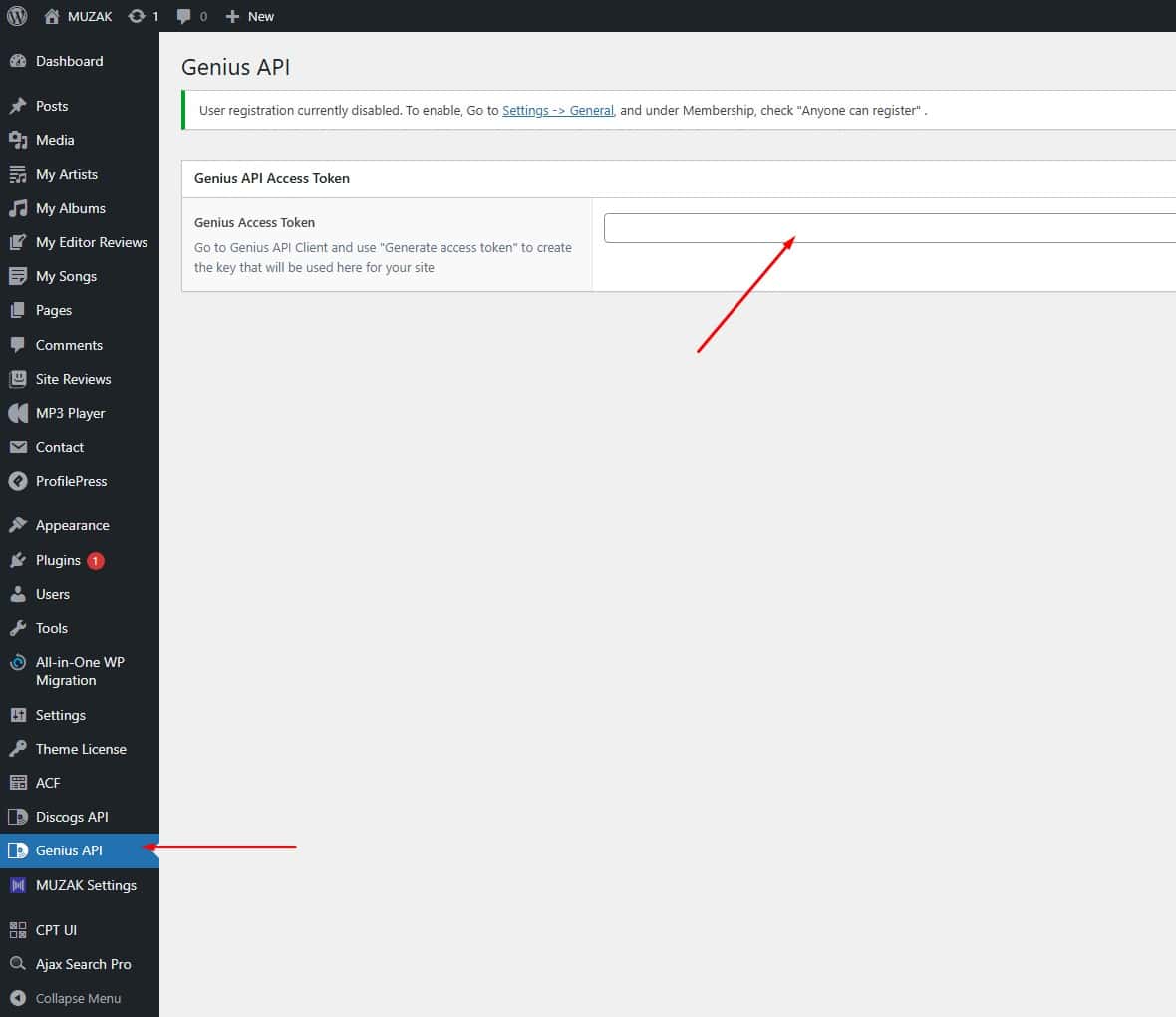
Step 3: Import Lyrics into Songs
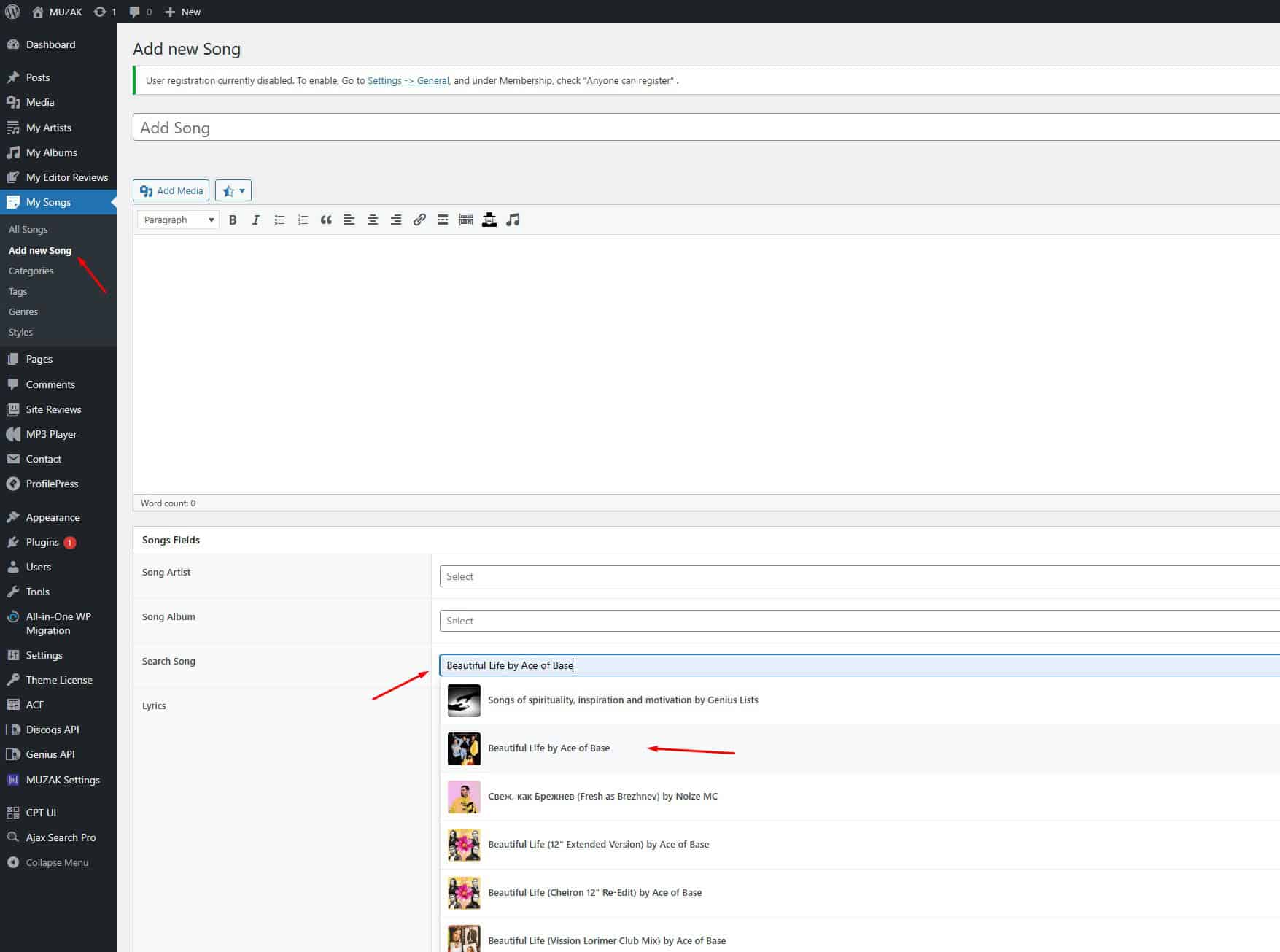
- Navigate to Songs → Add New Song.
- Add the post name (mostly the song name), select the Artist and Album which you should already have loaded on your site.
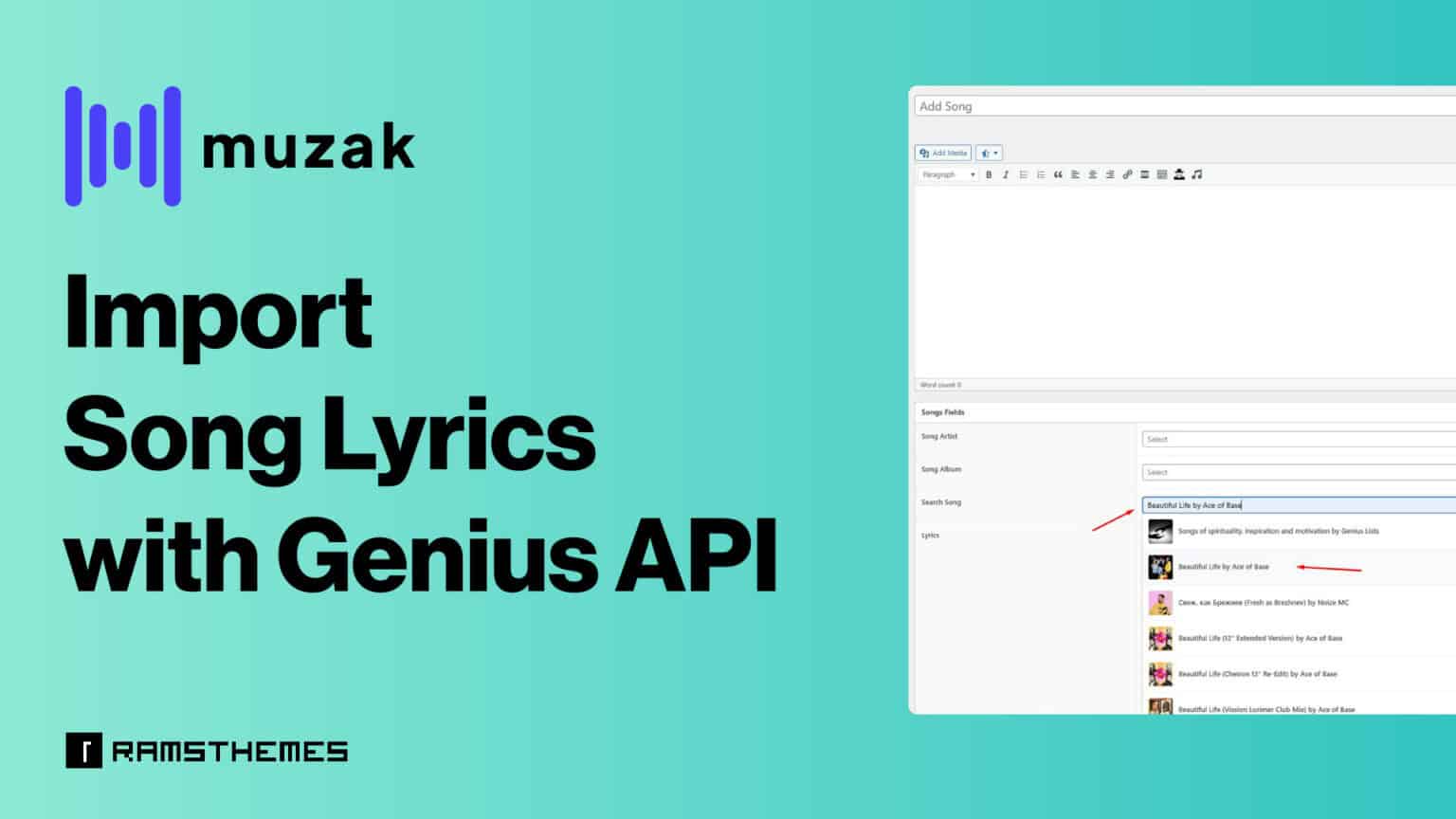
- In the Search Song field, type the name of your favorite track. A live search on API appears and you can select your song.
- The plugin will automatically import lyrics and metadata. See this on the demo on the video below the image.
- If you prefer, you can also enter lyrics and fields manually without using the API.
Step 4: Display All Songs on a Page
MUZAK now includes an All Songs Page Template:
- Create a new Page in WordPress.
- Select the All Songs template from the dropdown.
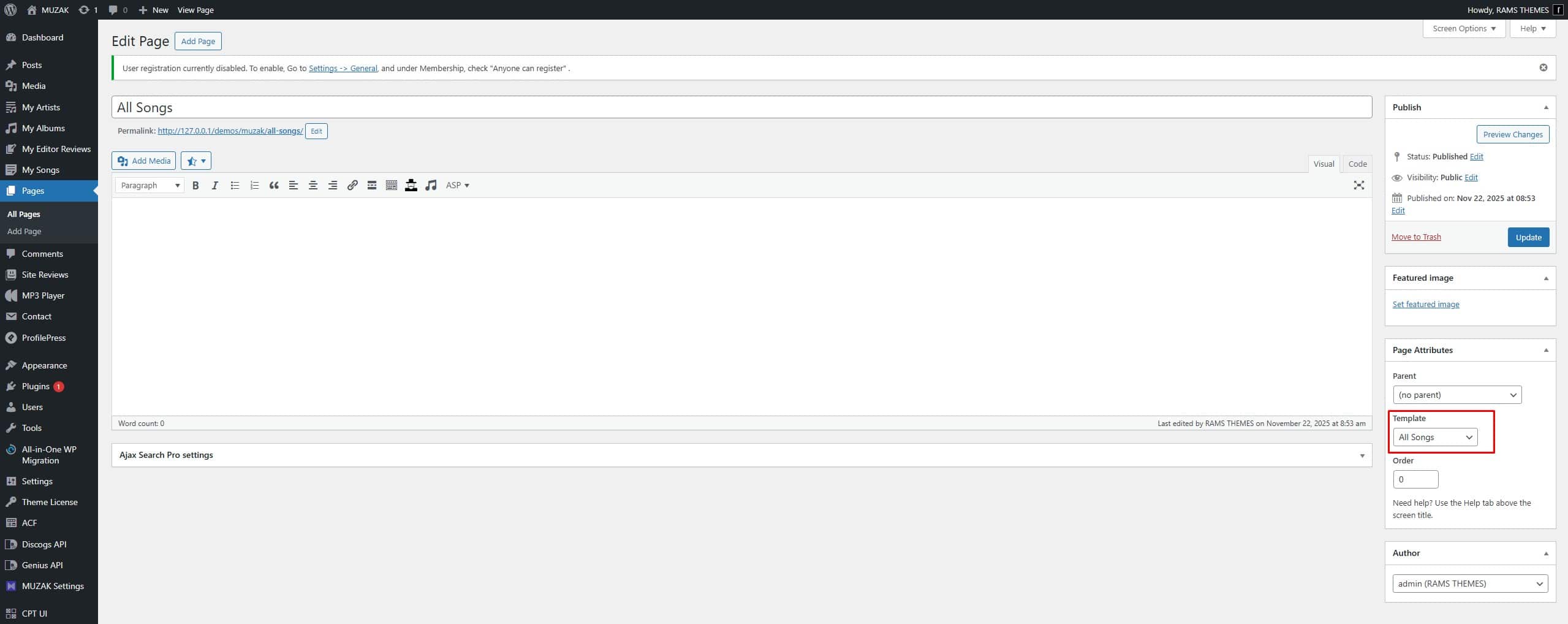
Publish the page. This will display all added songs in a clean table format on the frontend.
Step 5: Connect Songs to Albums
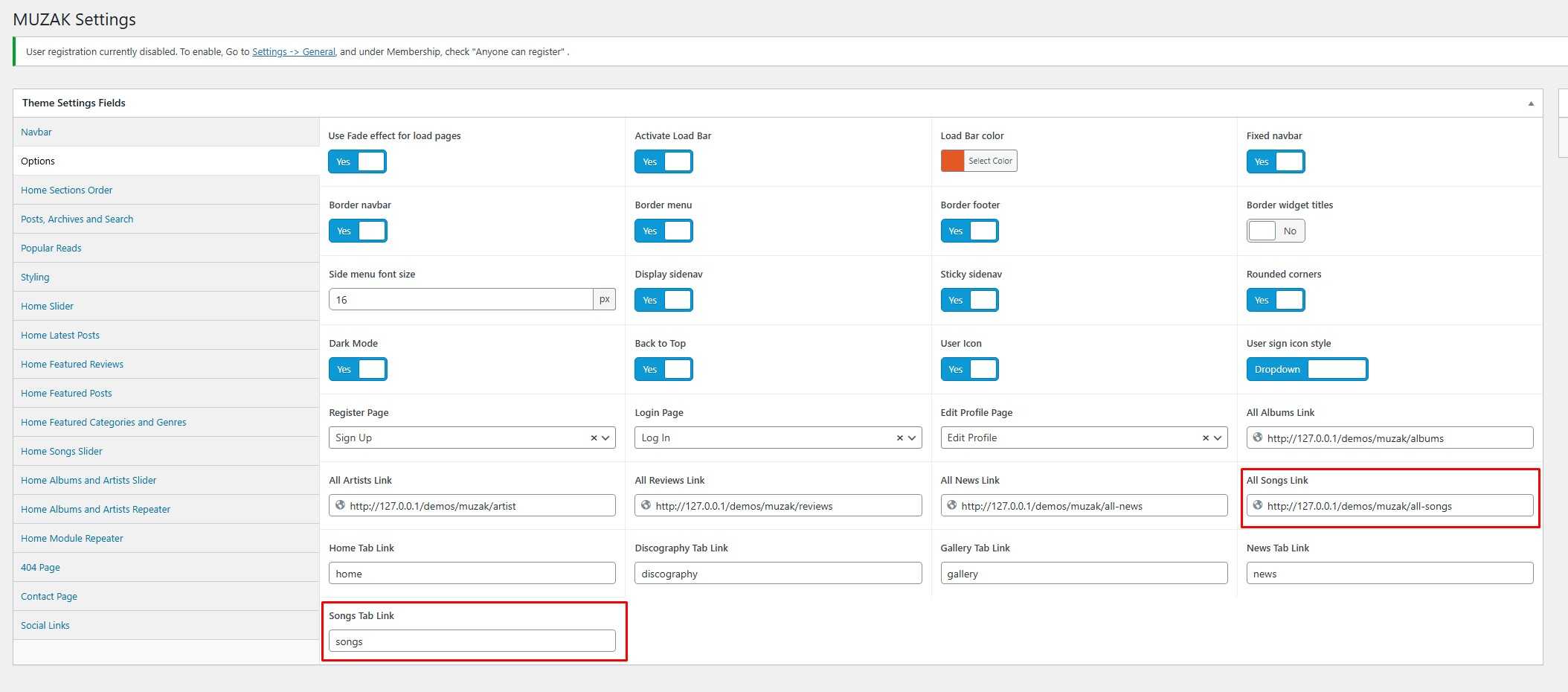
Now you’ll see new fields on Settings.
- The All Songs Link is the link on the “See All” button for the Home Songs Slider.
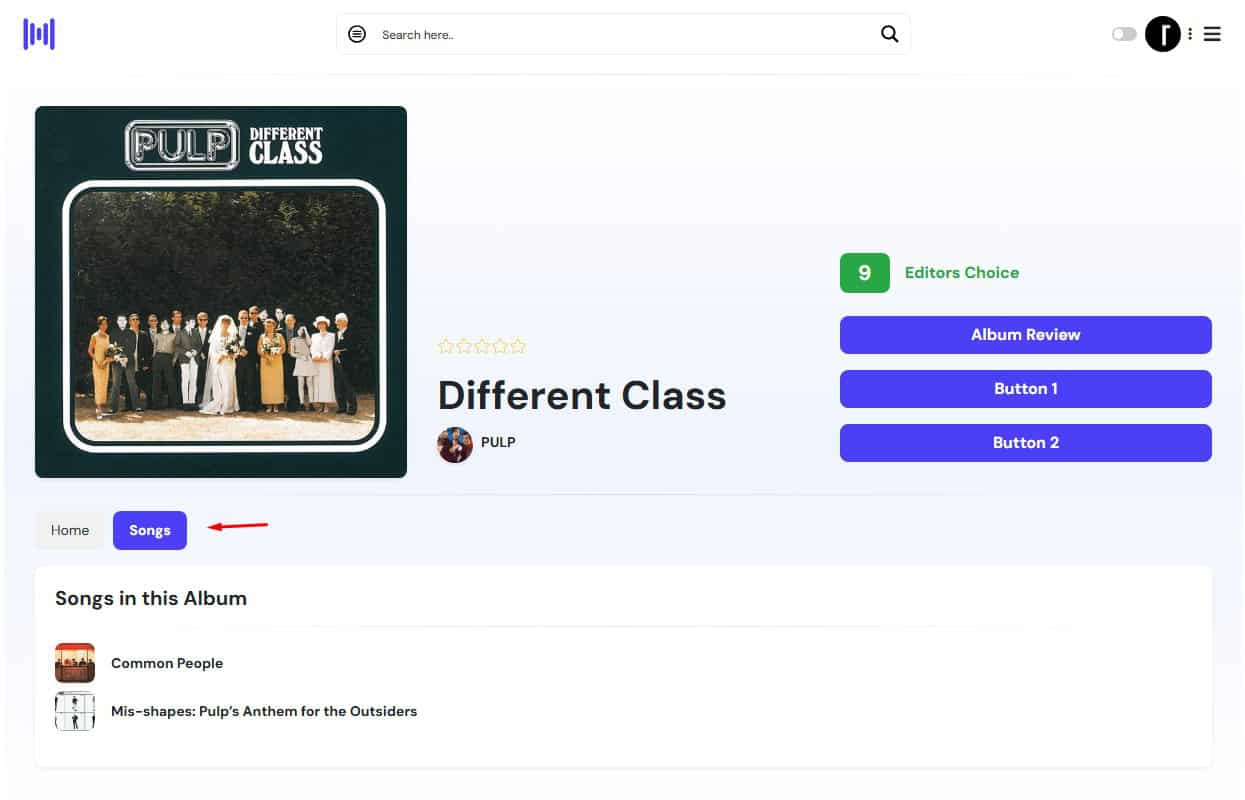
- The Songs Tab Link enables that within the Album post type, you’ll now see a Songs tab. This allows you to show the linked songs on albums, making it easy to organize related content.
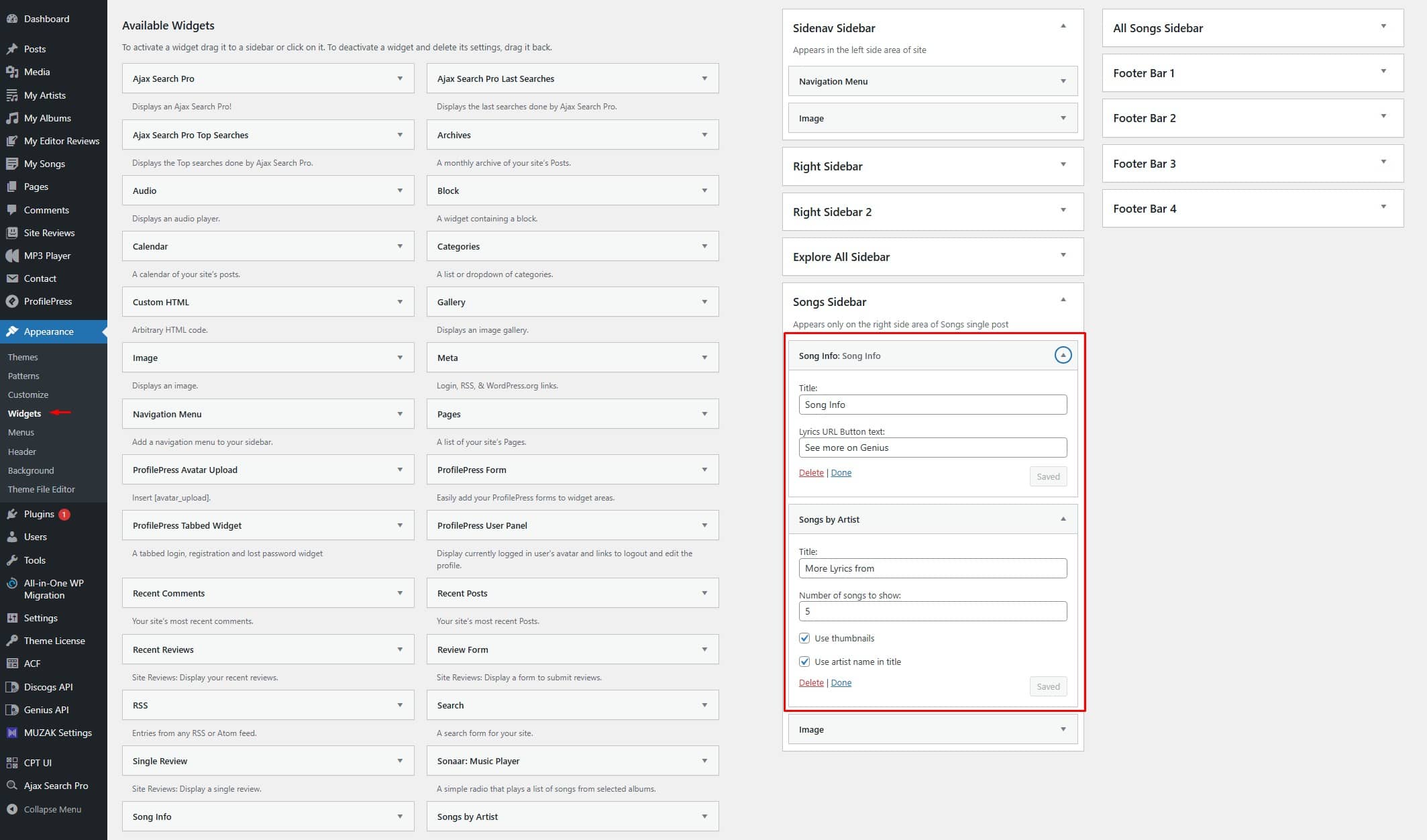
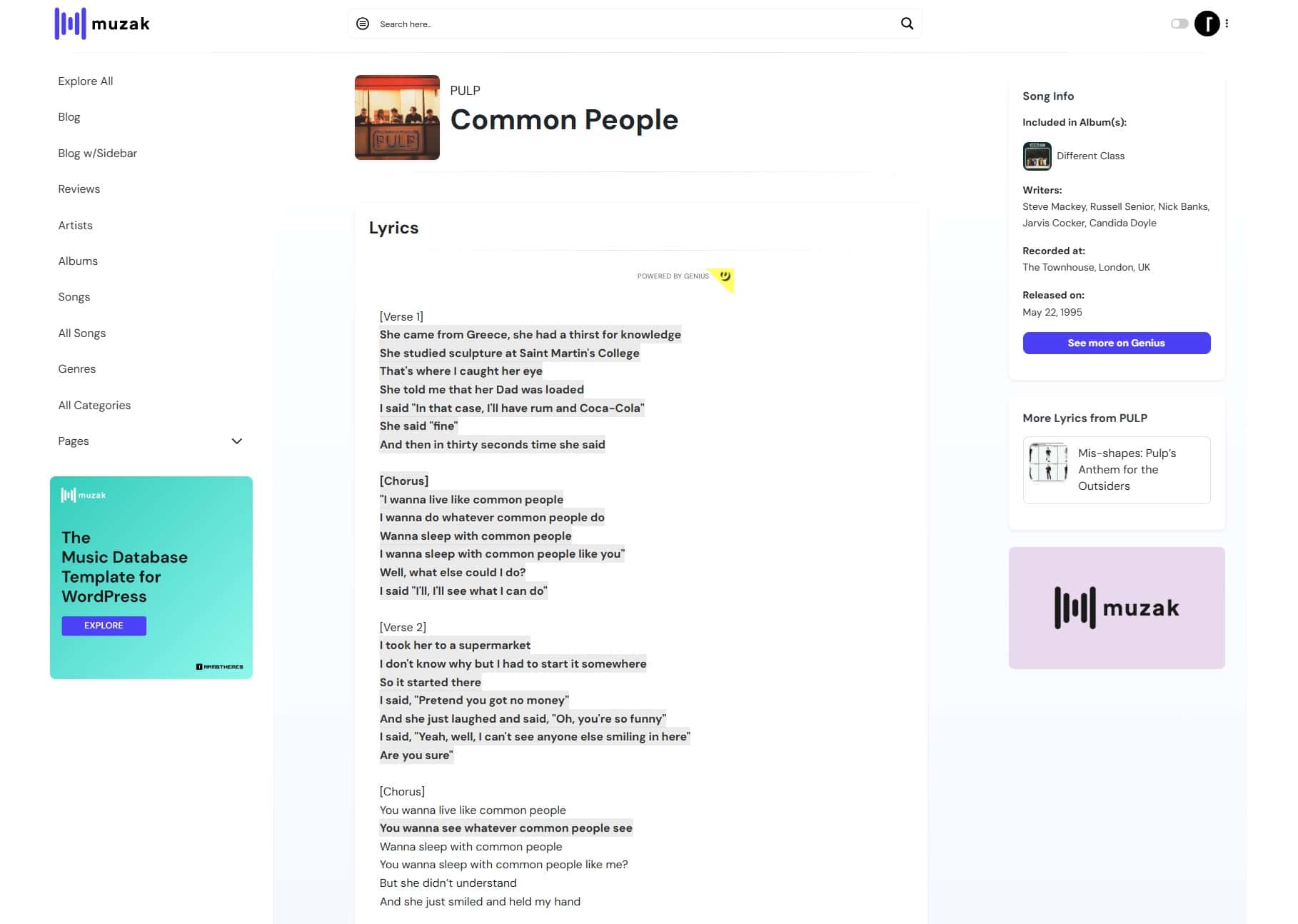
Also you can add the exclusive theme Songs widgets for the single post type, showing the Song metadata fields.
Step 6: Add Songs to the Home Slider
MUZAK’s new Home Songs Slider module lets you showcase songs on your homepage:
- Display the latest added songs automatically.
- Or manually select which songs to feature.
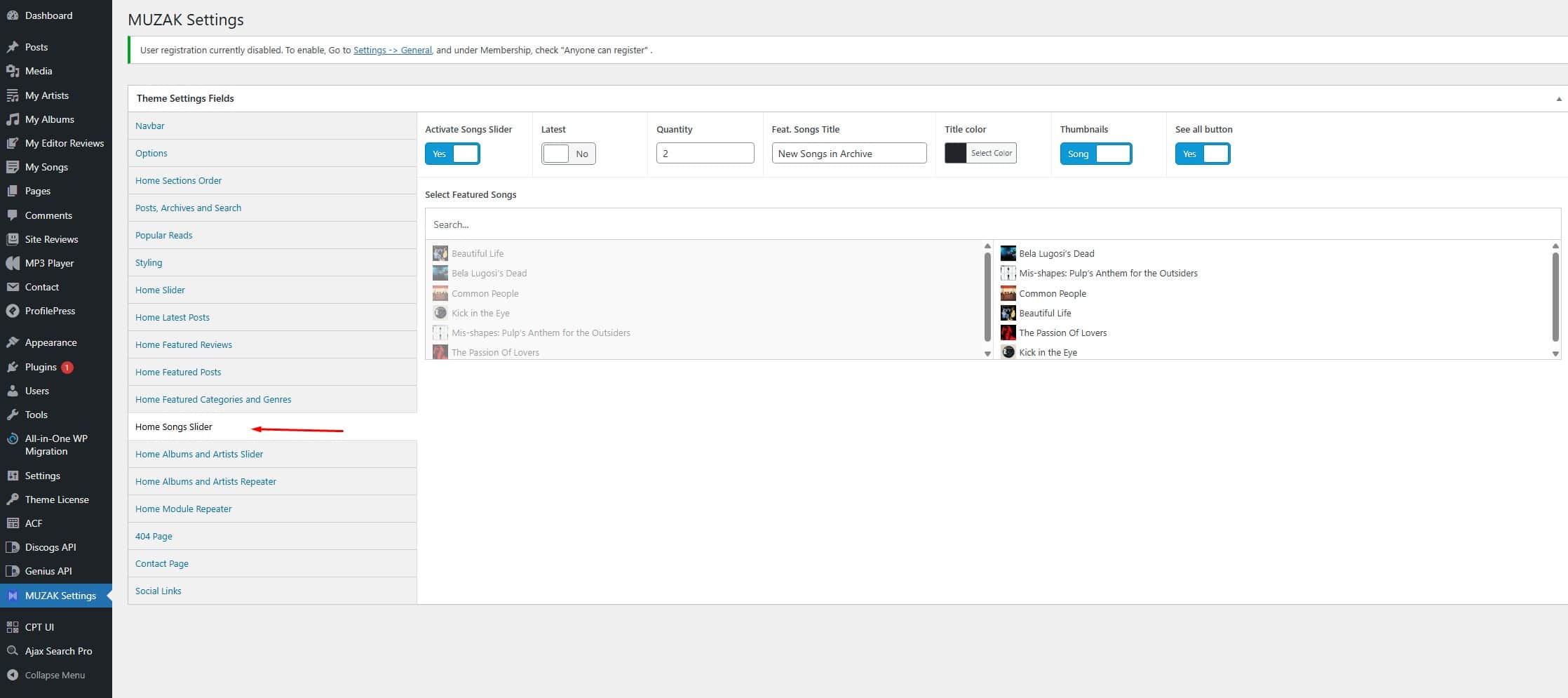
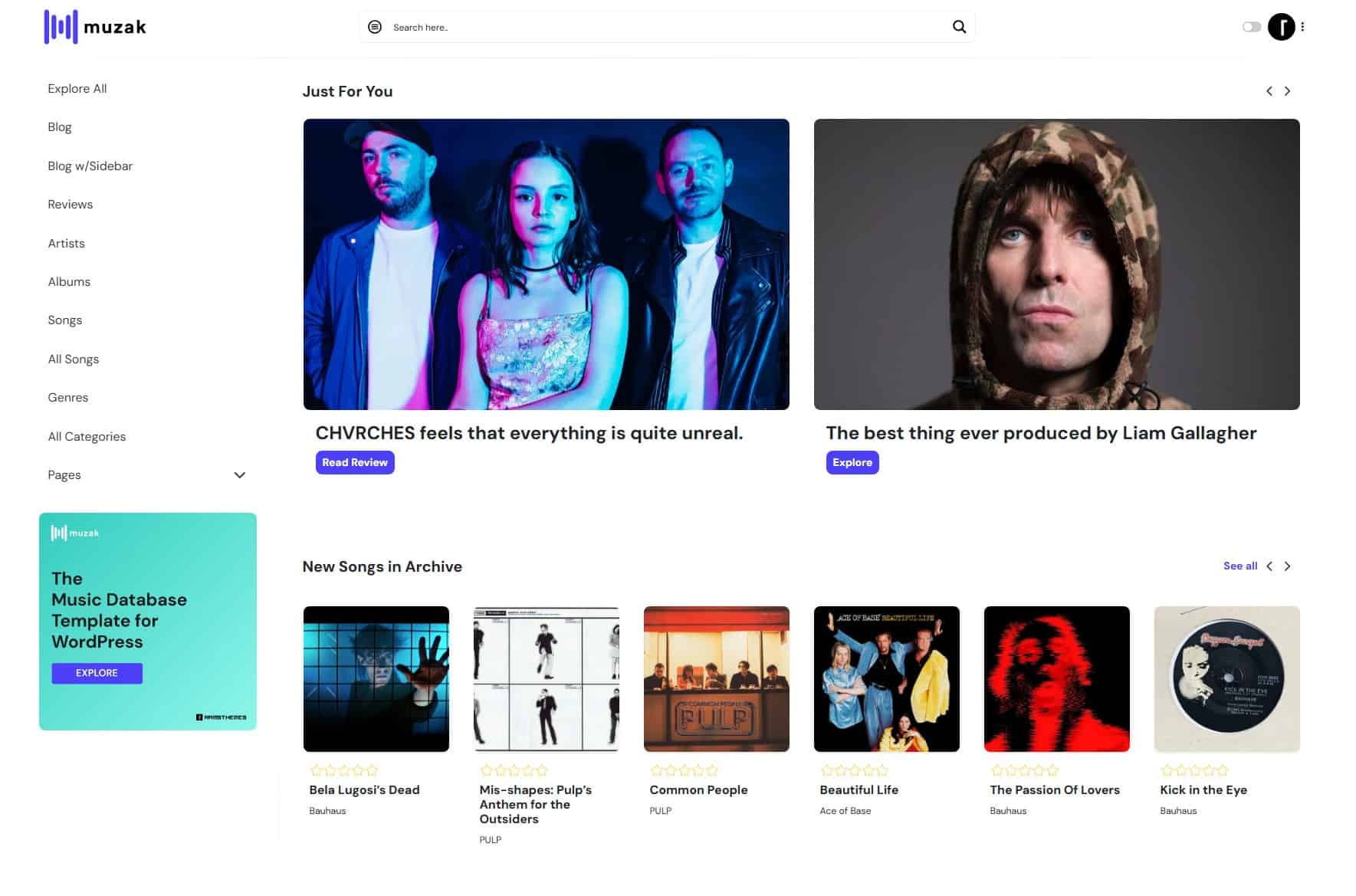
This works just like other MUZAK modules, giving you full control over your homepage design.
*⚠️ Important for Users: When importing lyrics through the Genius API, please note that Genius automatically includes its own embedded links within the lyrics, and these cannot be removed or modified. If you prefer lyrics without links, you would need to paste them manually — however, doing so may create copyright issues since you would be distributing lyrics without proper permission. We rely on the Genius API because it already manages the copyright concerns around lyric distribution and, at present, it is the only free API available that works reliably for this purpose.
Why This Update Matters
With the new Songs post type and Genius API integration, MUZAK becomes a complete music publishing solution. Whether you’re running a band site, a music magazine, or a fan-driven project, you can now manage songs, lyrics, albums, and frontend displays seamlessly.