Build your Music Database on WordPress faster with the new MUZAK Update
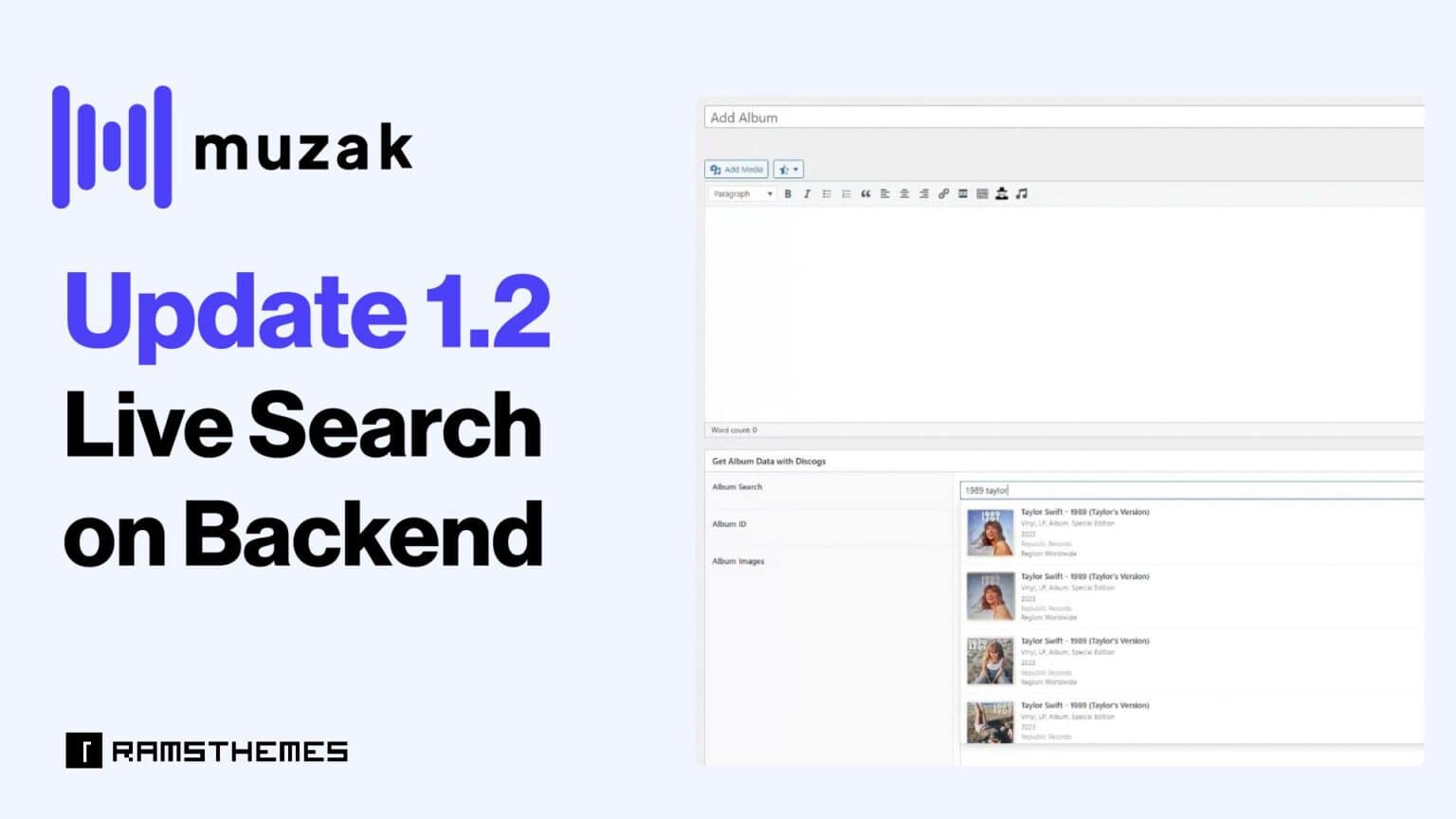
If you are running a Music News WordPress site, you know that adding metadata manually is a nightmare to your Music Database. This is why the latest update of MUZAK introduces a game-changing feature: AJAX Live Search for Artist and Albums on Backend.
In this guide, we will show you how to use this new powerful feature with the current Discogs API WordPress integration to build your database in minutes.
What’s the specific problem?
Anyone who runs a music, movie, game or any greater-data site knows the process is exhausting. Having to search for each ID or fragmented data on an external website, copy it, return to WordPress, and paste it is a repetitive task that drains your time and energy. It’s not difficult, but it’s tedious and frustrating when you have to upload lot of data from artists or albums. For a professional music database theme, we knew we needed a seamless, one-click solution.
What solves MUZAK 1.2?
We’ve eliminated the back-and-forth. Now, with live AJAX search, you can query the Discogs API directly from your dashboard:
- Integrated search: Find artists and albums without leaving the editor.
- Automatic recognition: When you select a result, the name and ID are automatically filled in.
- Real efficiency: Go from wasting minutes on each entry to solving it in seconds.
Key Benefits of the Discogs API Integration:
- Real-time Search: Start typing any artist or album name and see instant results.
- Automatic ID Population: Once you select a result, Muzak automatically fills the Discogs ID and Name as Title. You can also CLEAR the result and try again with other searches.
- No More Technical Errors: Since the data comes directly from the API, you ensure 100% accuracy in your metadata.
- Faster Content Creation: You can now populate a full discography in record time.
How to use the new AJAX Search backend feature in Muzak Theme
To start using this Discogs API WordPress feature, follow these simple steps:
Configure your API Key
You’ll need to create the API keys:
- Go to the Discogs website and log in to your account.
- Go to the API section
- Navigate to the Create an App section and generate your Client Key and Secret Key.
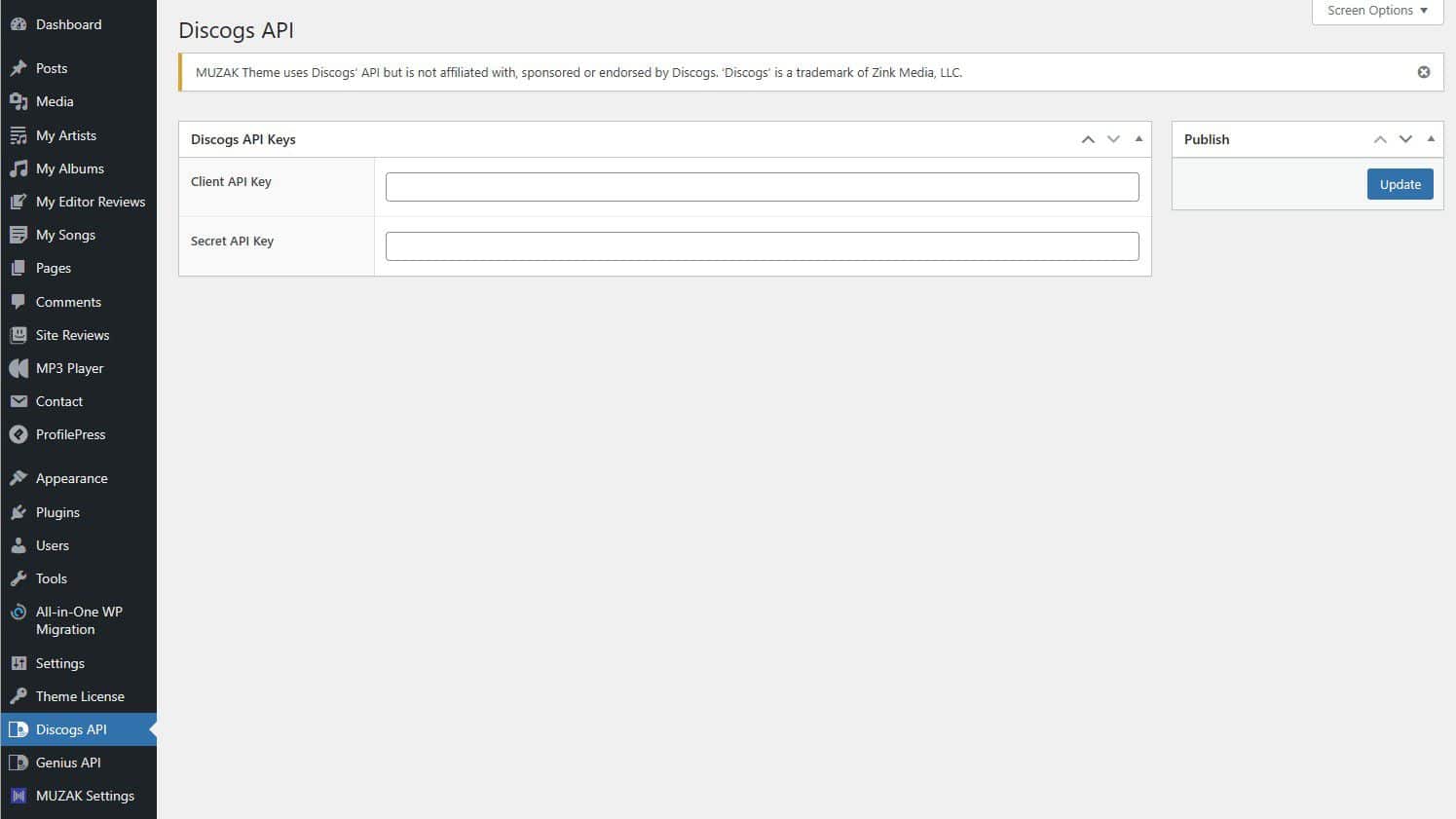
- Copy both keys and head to the MUZAK Theme Options in your WordPress dashboard.
- Paste the Client Key and Secret Key into the respective fields in the Options section of the theme.
Open your Editor: Whether you are adding an Artist or an Album post type, you will see the new search field.
Search and Click: Type the name, wait for the results, and click on your entry.
- For Artist: you’ll see the picture, name and real name to avoid confusions on search.
- For Album: you’ll see the picture, title, year, format, label and region to avoid confusions on search. When Album is saved, it is automatically added to the “Discography” relationship field existing on Artist.
Save: The theme handles the rest, linking your content to the global Discogs database.
Live search and import data for Artist demonstration:
Live search and import data for Album demonstration:
Conclusion: The Best WordPress Theme for Music Collectors and Fans
With the addition of Live Search on Backend, MUZAK solidifies its position as the ultimate WordPress theme for music fans. By leveraging the Discogs API, we provide a professional-grade tool that saves you hours of manual work.
Note: This tool is designed to facilitate the connection between your website and the Discogs database. Please note that this is an independent integration developed by RAMSTHEMES and is not an official, endorsed, or affiliated product of Discogs. To use this feature, you will need to provide your own API key from the provider’s developer platform. Users are responsible for following the third-party terms of service and ensuring proper use of the data.