New License Key Integration: Protecting Our Themes and Your Work
Due to recent and confirmed incidents of unauthorized use and distribution of our products on piracy sites, we’ve implemented a license key system for our WordPress themes. This move ensures better protection for our products and greater peace of mind for users who rely on secure, verified software.
By activating a license key, users not only validate their theme but also unlock access to updates, making sure the experience remains reliable, professional, and piracy-free.
We appreciate your understanding as we take this step to safeguard creative work and maintain the quality you expect from our products.
What you need to know
If your purchase includes the License Key system, you do not need to buy anything else. The License Key is included with your original purchase and enables one-click updates directly from your WordPress dashboard.
Once activated, you’ll receive update notifications and can install new versions with a single click whenever they become available.
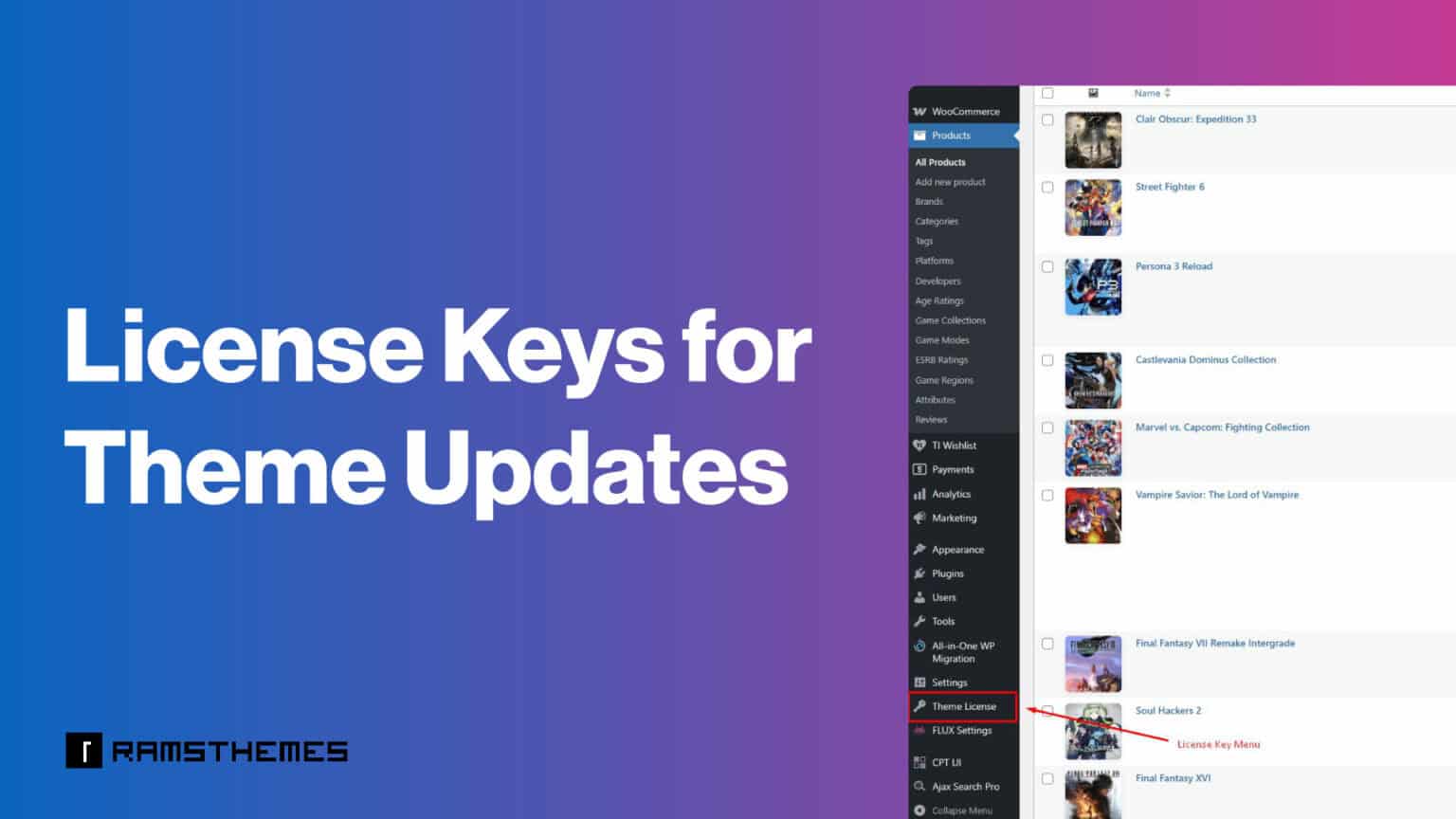
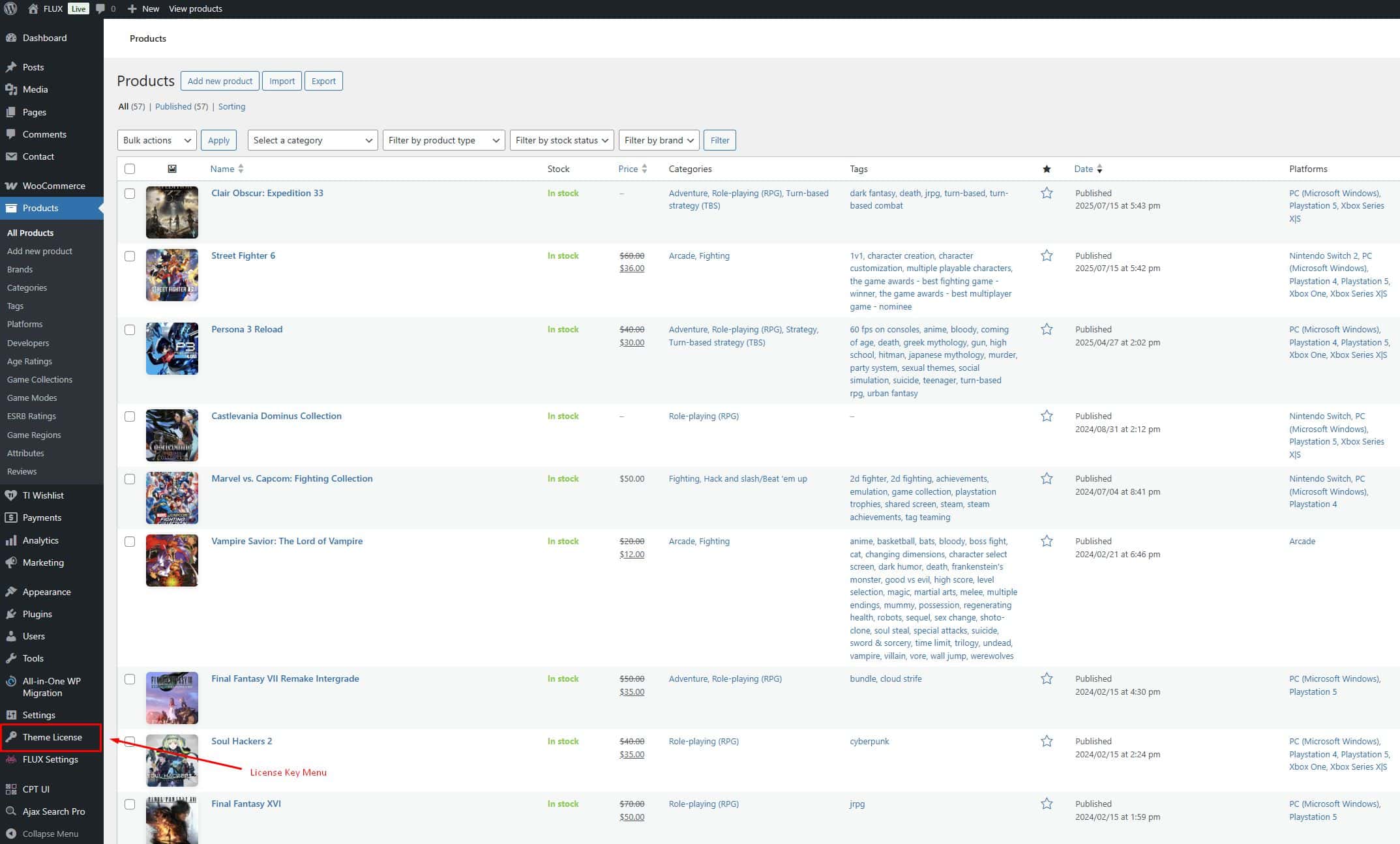
Themes that include the License Key system display a License Key menu in the WordPress dashboard after installation.
Important — No Retroactive Entitlement
The License Key system is not retroactive.
Purchasing a RAMSTHEMES product years ago on Template Monster does not automatically grant access to all future License Key features, infrastructure, or newly developed functionality.
License Keys are only provided for purchases that originally included or migrated to this system. Purchasing a RAMSTHEMES product many years before the License Key system existed does not entitle you to receive a free License Key or access to License Key features introduced later.
This policy applies to all products without exception.
Surprisingly, many support requests come from users who never requested support in years when support was provided through TM, or from pirated copies that expect updates and technical assistance despite not having purchased the original product.
The License Key system helps prevent this abuse while ensuring legitimate customers receive the service they paid for.
How the License Key Works
Your key is valid for one real site URL only. If you deactivate the key, it becomes invalid and you’ll need to reactivate. Similarly, reinstalling WordPress or deleting your site without deactivating the key before disables it. That’s why we recommend activating it only once your live site is set up and stable — so you can continue receiving theme or plugin updates with ease.
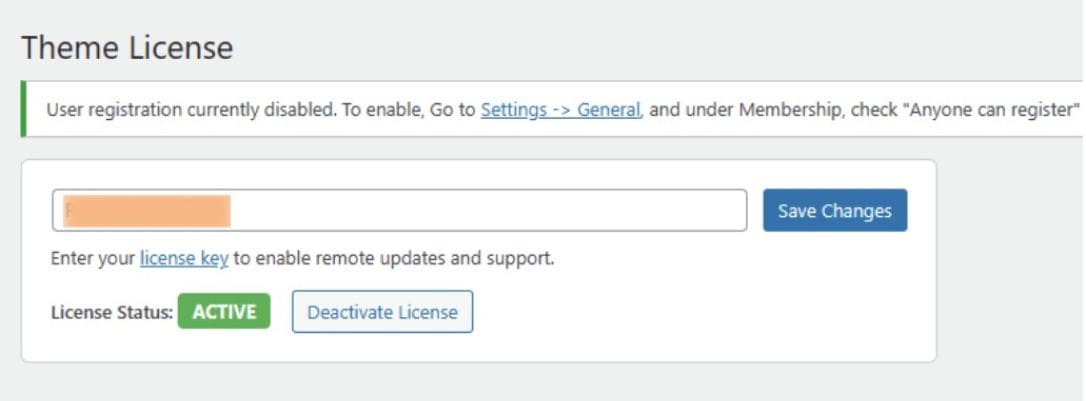
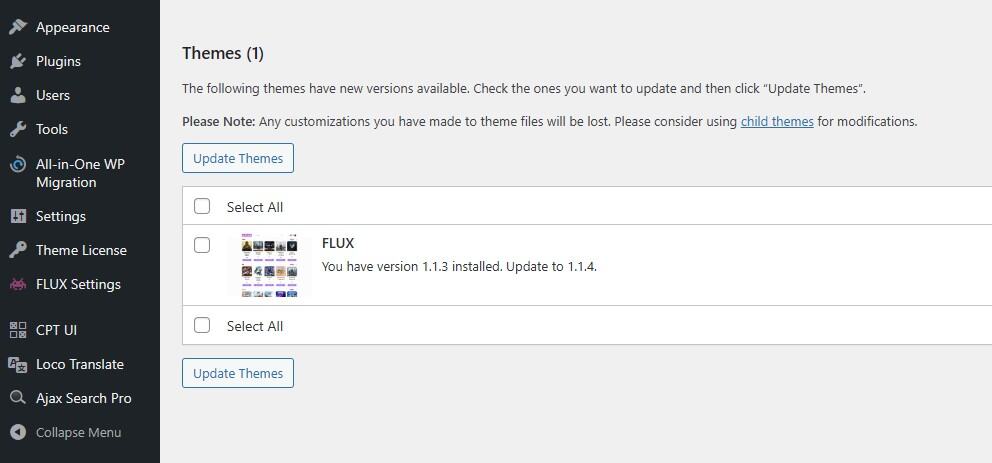
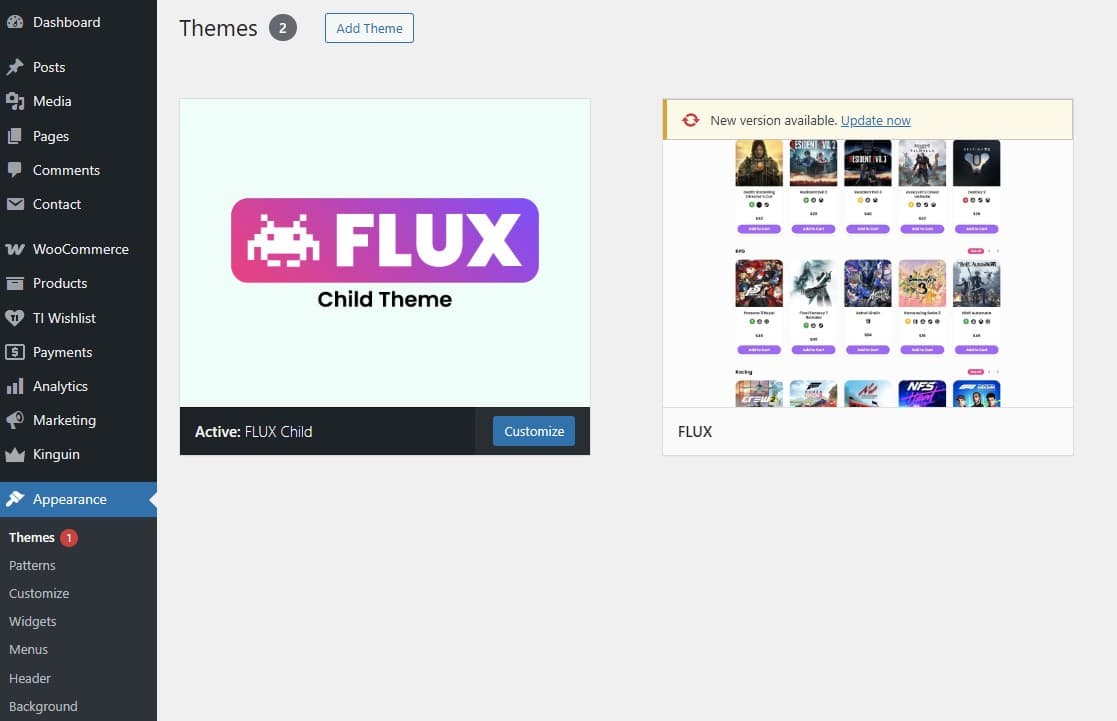
Live example on Theme Activation and Update
Understanding “TemplateMonster License” vs. “RAMSTHEMES License Key”
Those who have purchased our products through TemplateMonster in the past will notice that the platform offers its own type of license (Regular License, Extended License, etc.).
It’s important to clarify that this marketplace license is not the same as the RAMSTHEMES License Key included with the product.
Both are legitimate, but they serve different purposes:
Marketplace License (TemplateMonster)
This license is managed entirely by TemplateMonster and covers:
- The permission to use the product according to the marketplace rules
- Commercial usage terms defined by TemplateMonster
- The rights associated with your purchase on their platform
This license does not activate updates or connect to our update servers.
RAMSTHEMES License Key (Provided with the Product)
Every purchase includes an official RAMSTHEMES License Key, delivered if customers want it.
This key is used exclusively for:
- Receiving automatic updates

- Verifying that the product is genuine
- Accessing our official support
- Ensuring you are running the latest, safest version

Your RAMSTHEMES License Key is what links your installation to our secure update system.
It is NOT related to TemplateMonster’s internal licensing.
Why This Matters
Using your RAMSTHEMES License Key ensures:
- You’re protected from outdated, modified or pirated versions found on unofficial sites
- You receive bug fixes and improvements as soon as they are released
- You get direct support from the creator (us) and can notify us about bugs to resolve them as quickly as possible.
- You avoid security risks from cracked or tampered files
Both licenses are valid, but only the RAMSTHEMES License Key activates updates and verifies authenticity.
Important: MonsterONE subscription downloads do not include RAMSTHEMES support or license keys.
Troubleshooting:
If your License Key is active but updates are not downloading, the most common cause is a security plugin or firewall blocking the secure update request.
Plugins and services such as Wordfence, Jetpack, hosting firewalls, ModSecurity, Cloudflare rules, or similar security software may mistakenly block the temporary secure URLs used to deliver updates.
Before opening a support ticket, please check that:
- No security plugin is blocking outgoing or incoming requests.
- Your hosting firewall is not filtering secure download URLs.
- Any security logs are reviewed for blocked requests.
- The update server is allowed if your security software supports allowlists.
Once the block is removed, updates should work normally.
A License Key can only be activated on the domain for which it is intended.
This message usually appears when:
- You’re using a different domain than the one registered.
- The License Key belongs to another website.
- The domain has changed and needs to be updated.
If you believe the activation is correct, contact support and include:
- Your order number.
- Your website URL.
- A screenshot of the error.
In most cases this is not a problem with the License Key itself.
The most common cause is that your hosting provider is blocking outgoing connections to the update server.
We can first run a connection diagnostic to verify whether the server can reach our licensing system.
If a connection error is detected (for example, HTTP Error 415 or another connectivity issue), you’ll need to contact your hosting provider and ask them to remove the outgoing block.
Once connectivity is restored, the License Key information will appear again automatically.
Yes.
The migration process was available from July 2025, when the License Key system was introduced, until May 2026, when RAMSTHEMES permanently left the TemplateMonster marketplace.
The confirmation that RAMSTHEMES was leaving the marketplace was sent via TemplateMonster support tickets in March 2026. This communication was available only to customers with an active support period. Customers who did not renew their support and had no active support access were not able to receive messages through that channel.
During this transition period, existing customers had the opportunity to contact us through the available support channel, verify their original purchase, and receive their License Key at no additional cost.
Many customers completed this process and were successfully migrated to the new system.
The transition period was created specifically to allow existing customers to move from the old marketplace-based system to the new RAMSTHEMES update infrastructure. It was not intended to remain open indefinitely.
The License Key system was introduced when RAMSTHEMES implemented its own licensing and update infrastructure.
During that transition, the TemplateMonster Support Ticket system was the only official communication channel available. Customers who contacted us through that system were informed about the migration and, after verification of their original purchase, were migrated to the new License Key system free of charge.
This migration was part of a limited transition period and was never intended to remain available indefinitely.
If your TemplateMonster support had already expired, the marketplace no longer allowed support tickets to be opened, leaving no official communication channel between us. Likewise, customers who chose not to contact us during the transition cannot reasonably expect the migration program to remain available years later.
Calling this a “scam” because a purchase made years before the License Key system existed does not automatically include infrastructure developed later is simply incorrect. Customers who participated in the transition were migrated free of charge. The fact that someone returns years later after the migration has ended does not create a retroactive entitlement to the new licensing infrastructure.
This is standard practice in the software industry and does not alter the product, features, or services originally included with the purchase.
No.
The License Key system is not retroactive.
Purchasing a RAMSTHEMES product before the License Key infrastructure was introduced does not automatically include a License Key or access to the new update system.
No.
Existing customers were given a transition period (more than six months) to migrate to the new License Key system free of charge. Many customers successfully completed this process after verifying their original purchase.
The License Key system introduced a new licensing and update infrastructure. The transition was never intended to remain available indefinitely. Expecting a migration program to stay permanently open years after it ended is neither realistic nor standard practice in the software industry.
Yes. If you purchased a RAMSTHEMES product years ago and your original purchase no longer provides access to the current update and licensing infrastructure, you can purchase the product again at a discounted price.
Current discounts are available as follows:
- 5% OFF with the coupon code RT5PER
- 10% OFF when purchasing through WhatsApp
- Up to 20% OFF with a personalized coupon, depending on the product and situation
These discounts are intended to make it easier for previous customers to return to the current RAMSTHEMES system without paying the full price again.
A previous purchase does not automatically provide lifetime access to future licensing systems, updates, support, or infrastructure introduced after that purchase. As explained above, the original License Key migration period was limited and has already ended. Re-purchasing is the available way for customers returning after that transition to obtain the current product and its associated services.
The available discount may vary depending on the product and the specific case. Contact us if you need a personalized repurchase discount.
You purchased a RAMSTHEMES product through the TemplateMonster marketplace in the past. RAMSTHEMES was always the product author and developer.
TemplateMonster’s role was limited to processing the purchase and providing its own support ticket system while the customer’s support period remained active. Once that support period expired, TemplateMonster no longer provided a communication channel between the customer and the author.
After RAMSTHEMES left the TemplateMonster marketplace, all support, updates, and licensing moved directly to RAMSTHEMES.
We received some support requests from people using nulled or pirated copies of our products, including requests for updates and technical assistance.
Verifying ownership allows us to ensure that support, updates, and License Keys are provided only to legitimate customers who purchased an original copy.
For any other questions, you can write to us in the Contact section.