
Introduction

Requeriments
- WordPress installation
- PHP 8.2+
- Basic Knowledge of WordPress (create posts, upload images, install plugins, fill fields, etc.)
Support questions will only be answered by verified customers. License Key is mandatory to get plugin updates.
Installation
Install via WordPress Dashboard
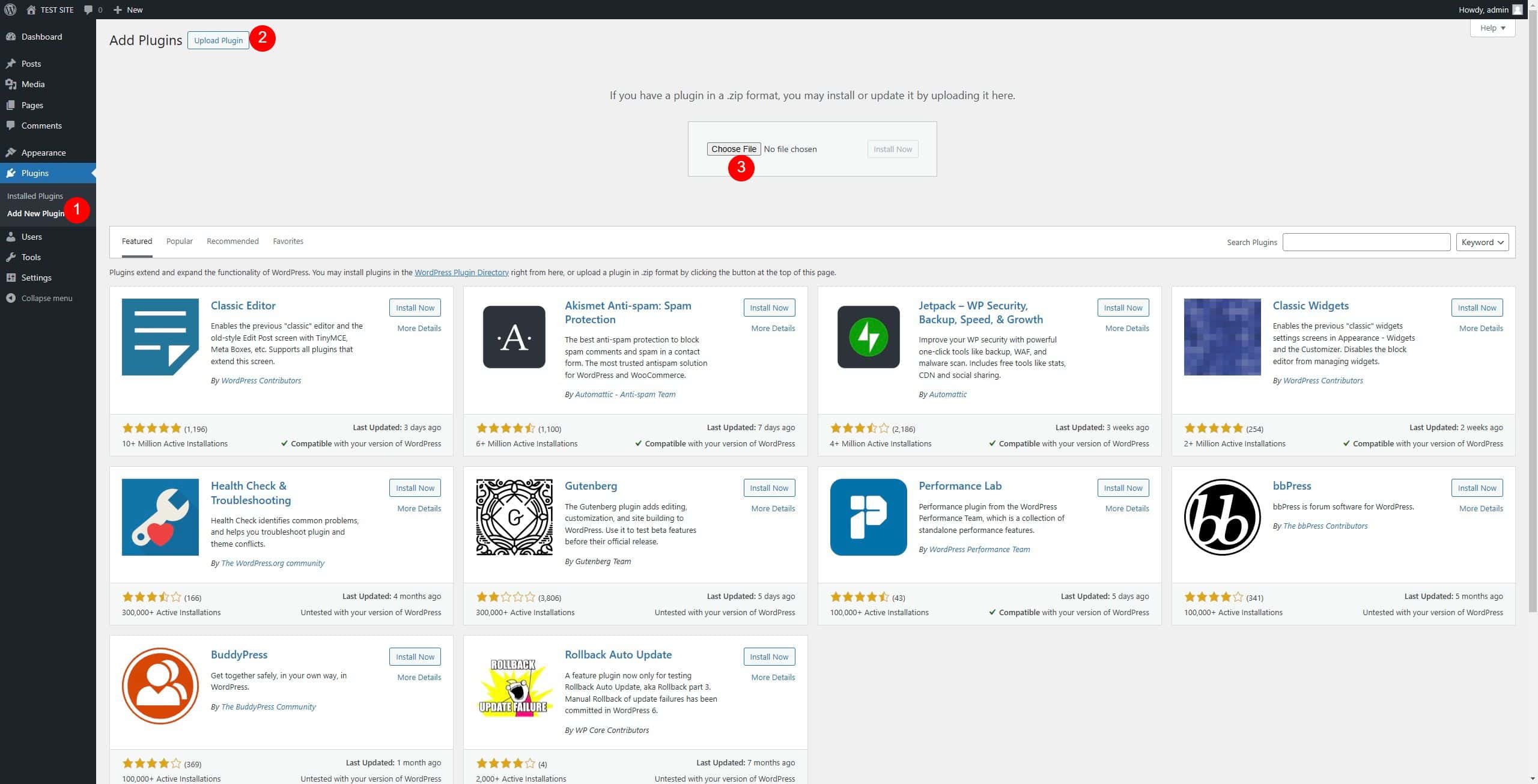
1- Go to Plugins > Add New Plugin section
2 – In the next screen click the Upload Plugin button
3 – Click the Choose File button, select the zip file “mediafy.zip” downloaded when you bought the plugin and click Install Now.
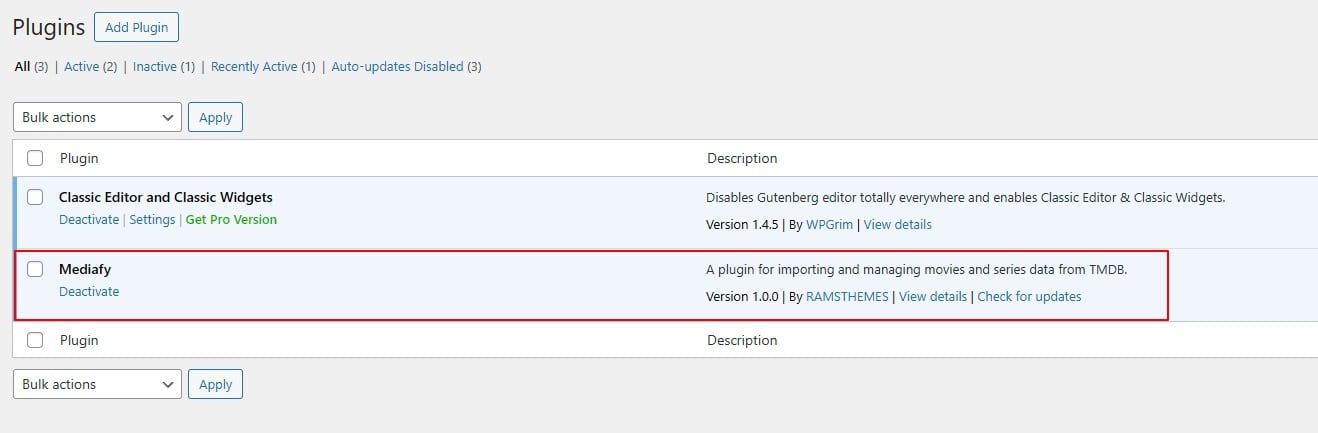
After upload you can activate the Plugin and start using it
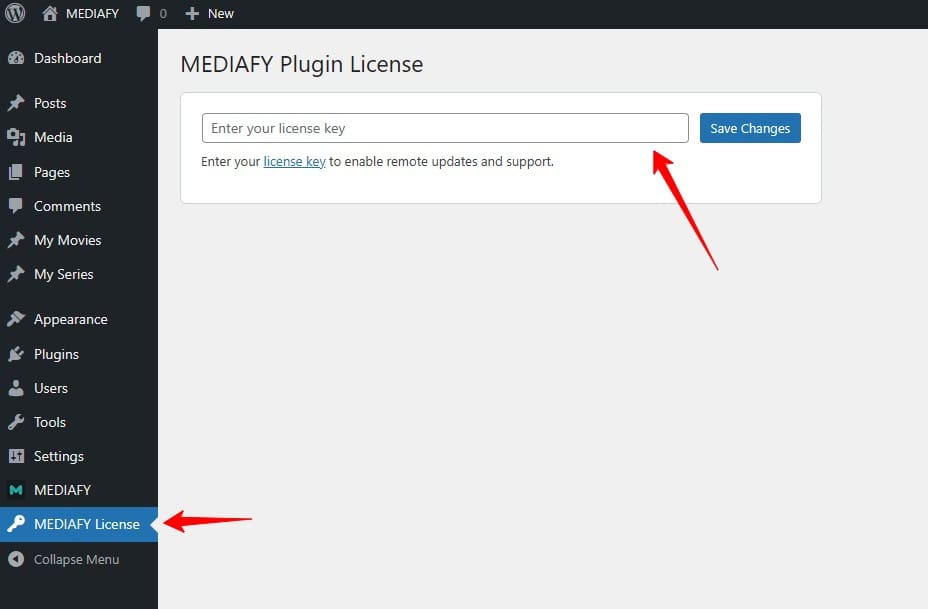
License Key
Use the original License Key to get the future plugin updates.
Licenses must always be requested via email or our WhatsApp after making your purchase on our site or Gumroad.
After activating, you’ll see the Movies and Series post types and new Custom Taxonomies and Custom Fields that are filled when you search and fetch data.

Settings
Plugin only has few easy settings:

API KEY: paste here the API Key you get from TMDB Developers Page 👈
Read how to get it here 👇
Content Language: select the language to import the Data (English, Spanish, Portuguese, French, Italian, German)
Display Card: enable or disable the Cards with data on frontend. Disable if you want to use the custom fields and taxonomy terms with any custom templates to build tour own Cards
Cast Quantity: sets people shortcode limits (read more on Shortcodes section)
URL Slugs: customize the URL slugs for movies, series, and their taxonomies. Changing a slug automatically 301-redirects old links to the new one.
Maintenance: Recheck all images and resyncs if any new ones were detected by the TMDB API. See full info here 👇
Operation
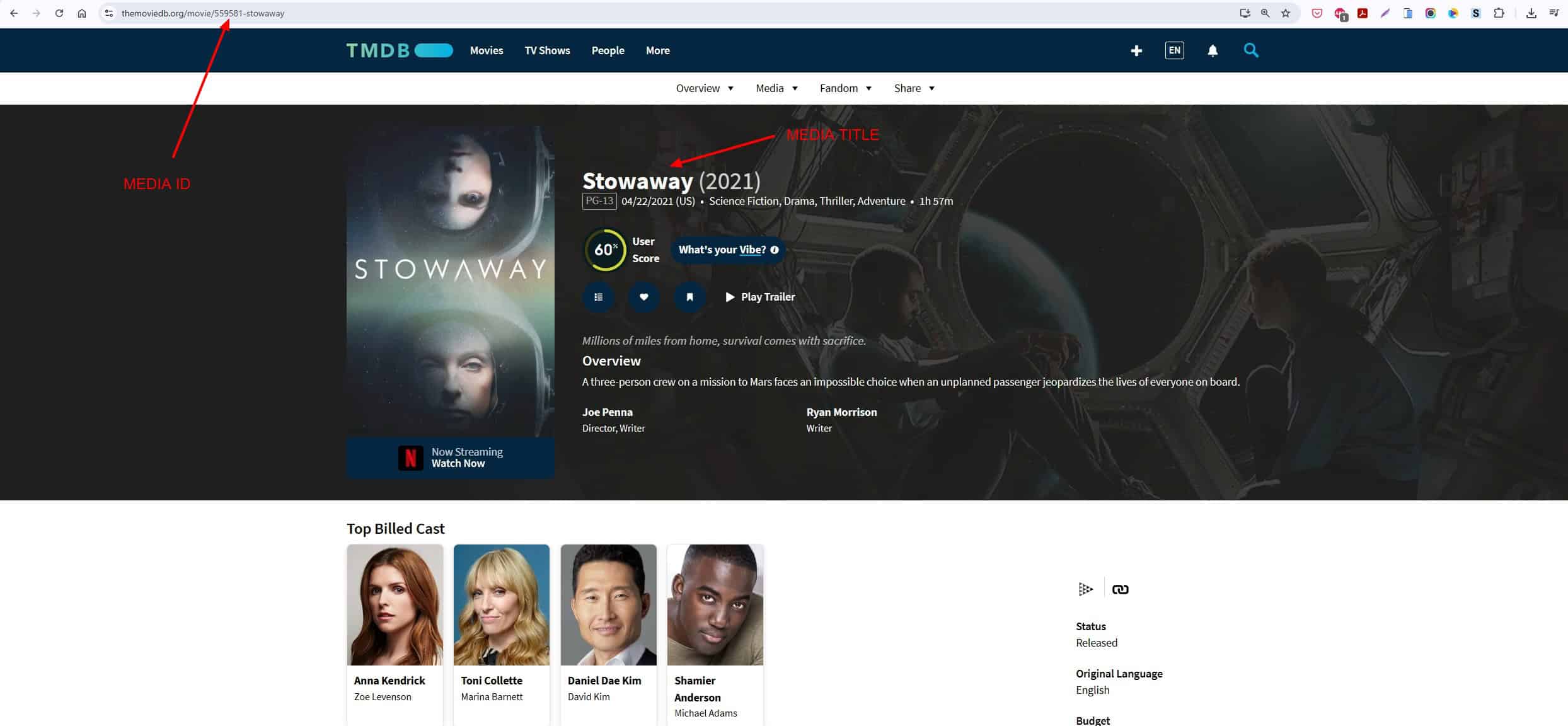
The search works by name or by ID (this is recommended for more precise content, since it can happen that several media have the same name). The data search based on name or ID uses the TMDB Media data existing on the page.
Example:
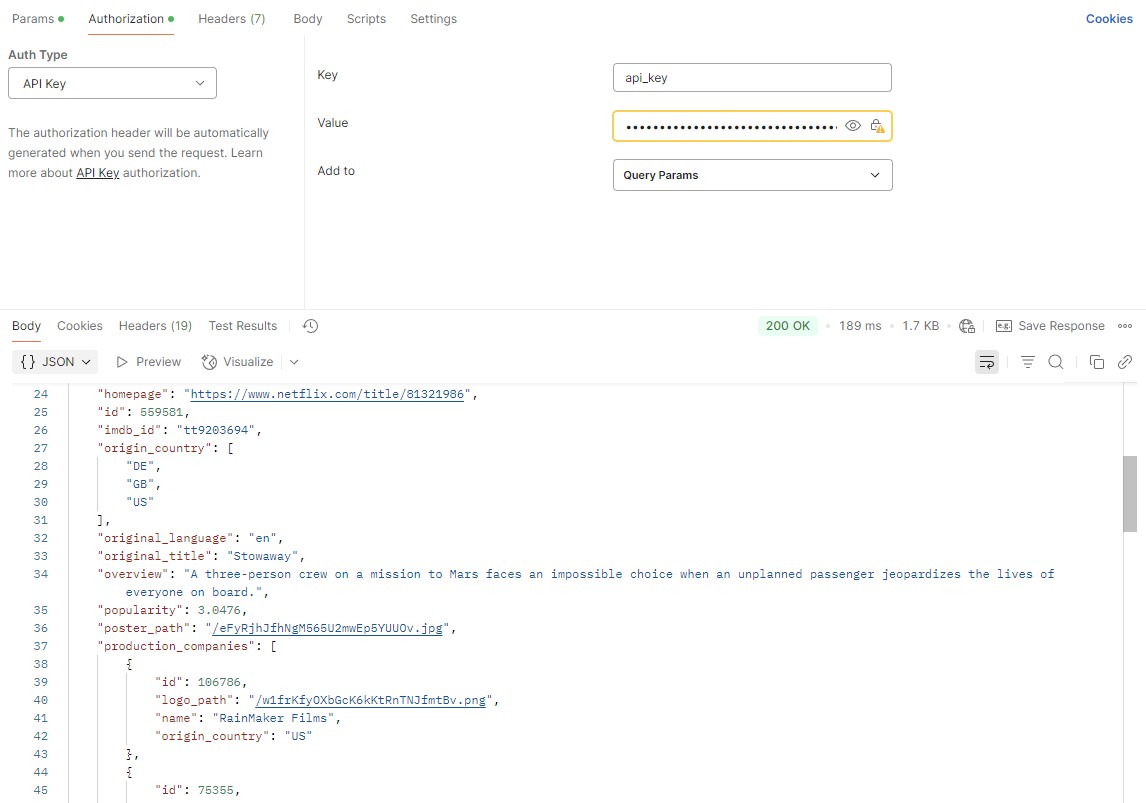
Which is the same present when testing the TMDB API using POSTMAN.
Example of testing the API works:
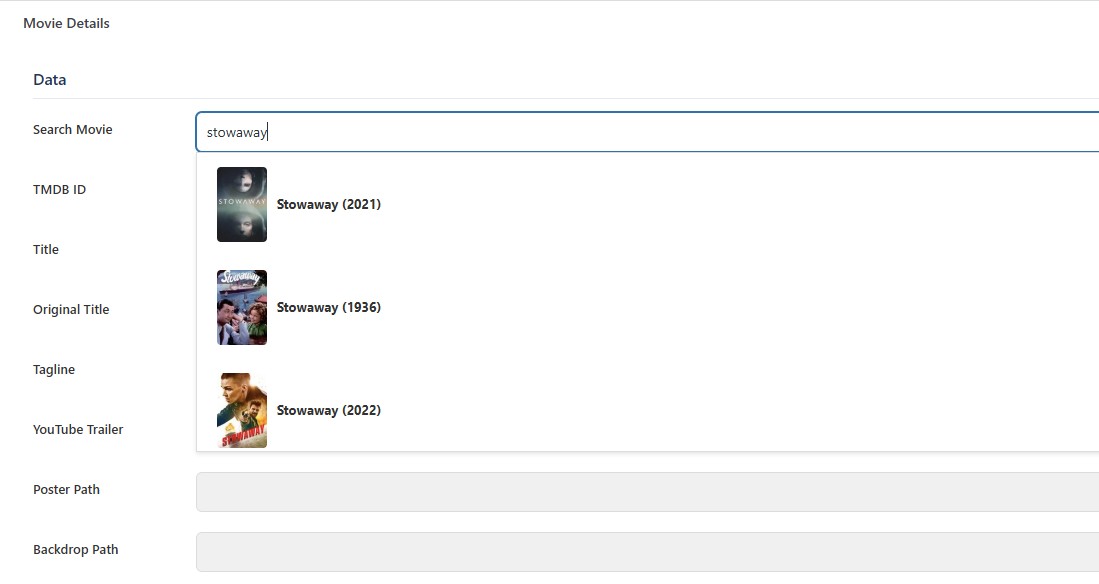
You simply have to create any new Movie or Series within what you want to publish and when entering, use the search box to trigger live search.
Use the Name or ID on the search box
When select the media, the fields are filled with the data automatically, when it exists.
When you “save post”, it will automatically be saved in the fields.
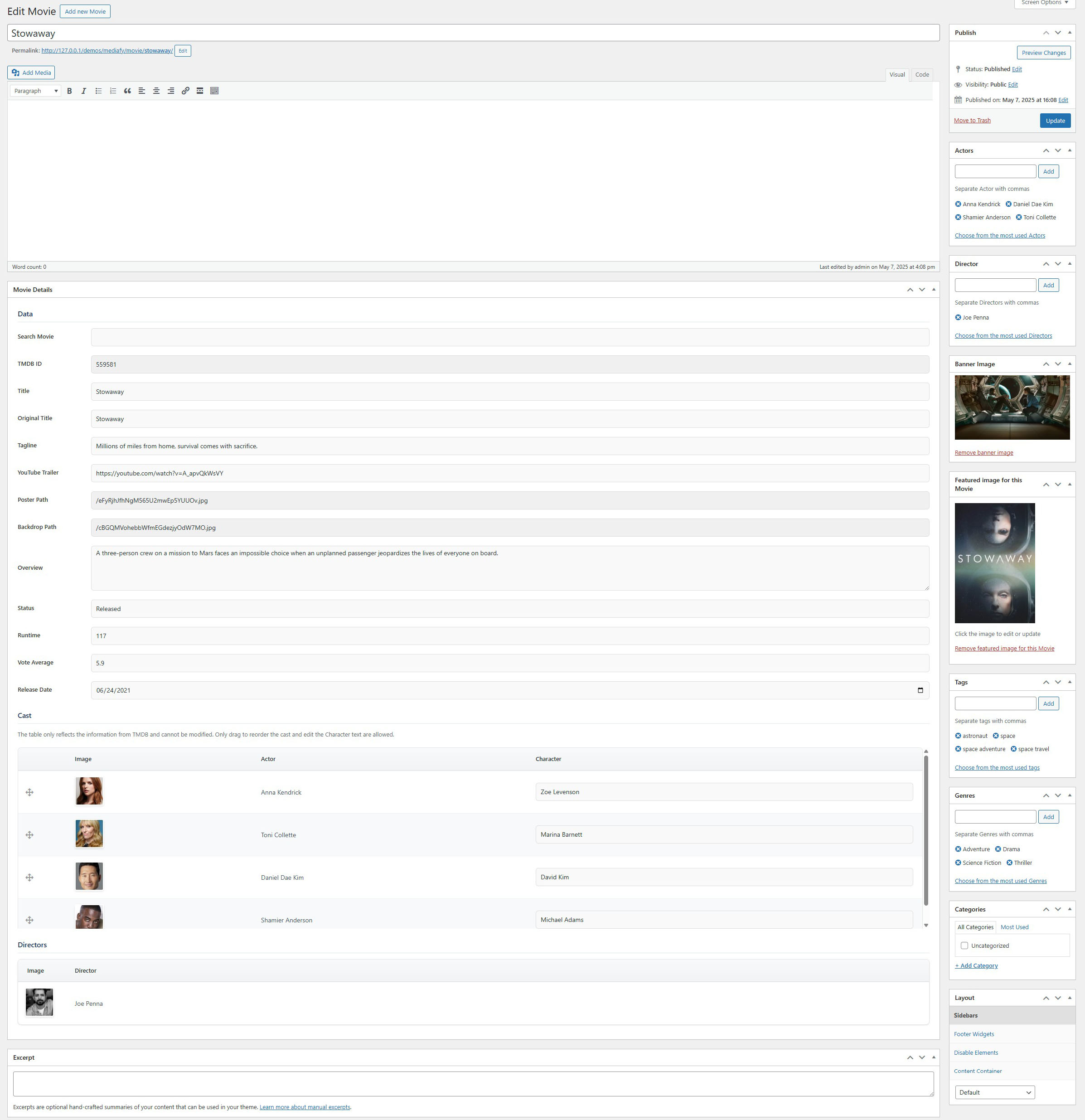
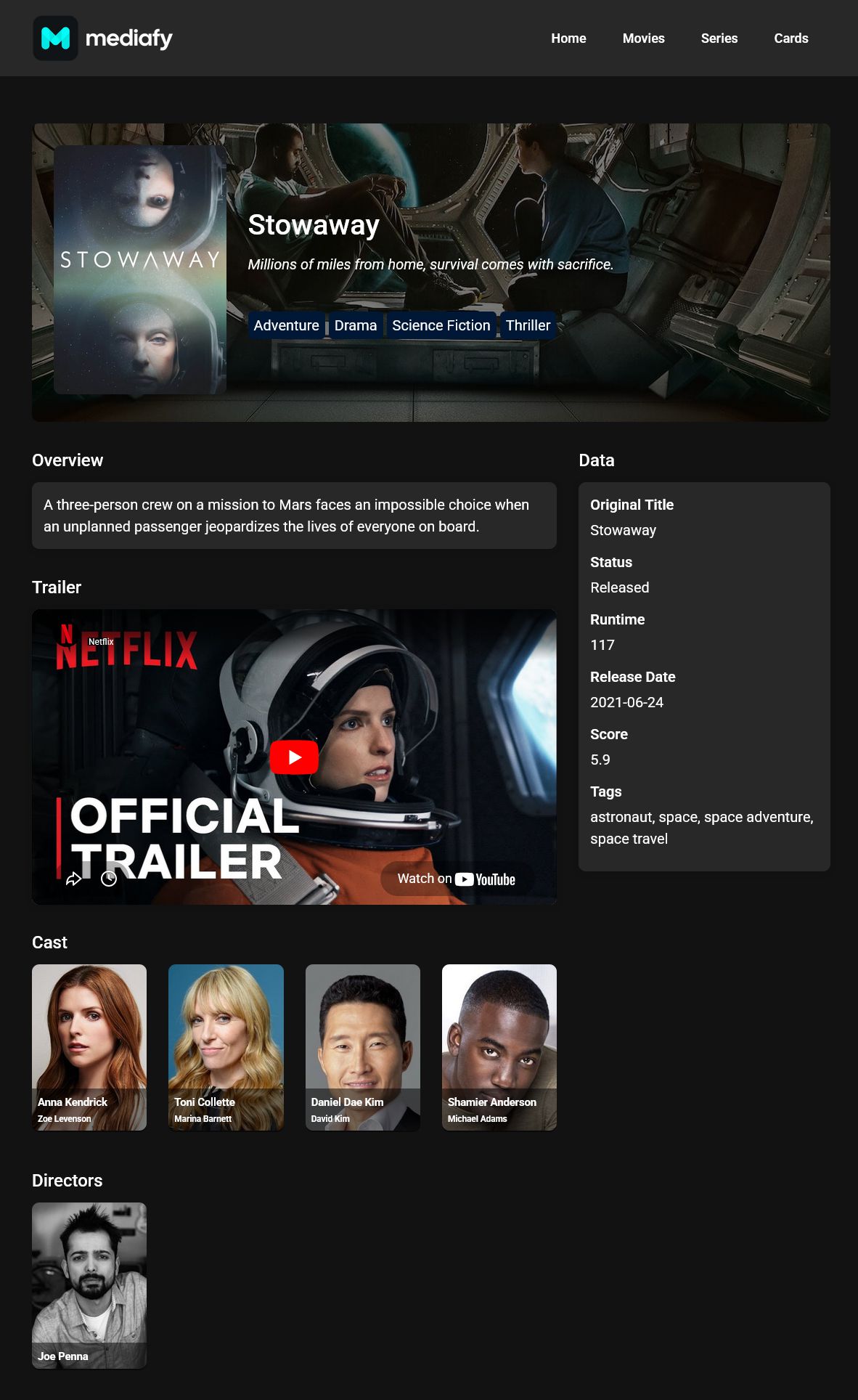
By saving all of these in custom fields, you can also reuse them, creating your own layouts based on the saved meta data.
And that’s it!
Manual Cast Table
MEDIAFY introduces a manual cast table builder. You can now assemble the cast and crew of any movie or series by hand, without depending on a TMDB import. Add actors, directors and writers by searching the people already in your database, or create a new person on the spot from a modal window. You can also remove selected rows from the table in one action.
MEDIAFY 2.1 Update: Build a Manual Cast Table for Your Movie and Series Catalog
Shortcodes
Standard Shortcodes
Plugin’s capabilities expands by adding a complete set of shortcodes designed to display people, relationships, metadata and trailer directly within any Movie or Series post.
Outer Shortcodes, AJAX internal search and Gutenberg Block
Metadata reuse includes more shortcodes and internal AJAX search tools for fast retrieval of previously saved content.
MEDIAFY Plugin 1.7 Update: Advanced AJAX, Gutenberg & Smart Workflows
Demo
The plugin works by creating a custom content that is automatically rendered on a new media template. It already has predefined CSS styles to use on the frontend; all this allows it to work with practically any theme, although we recommend its use in themes using Elementor.
Movies and Series are the main post types. Actors, Directors and Genres are saved as custom taxonomies. Rest of fields are custom fields stored on database.
Demonstration example of workflow in video
You can see detailed product samples in the product demo page* 👈
* Theme used in demo is a custom elementor template used only for Plugin showcase purposes.