Ingmar Theme Gets Smarter TMDB API Tools
If you run a movie or TV database with the Ingmar theme, update 1.6 adds a new TMDB API Resync system so you can refresh media data whenever you need to. It also adds a maintenance tool to keep actor and director photos current, plus a smarter way of handling directors who also appear as actors in their own films — their acting credit is now linked instead of creating a duplicate taxonomy term.
Here’s what changed and why it matters.
Resync without starting from scratch
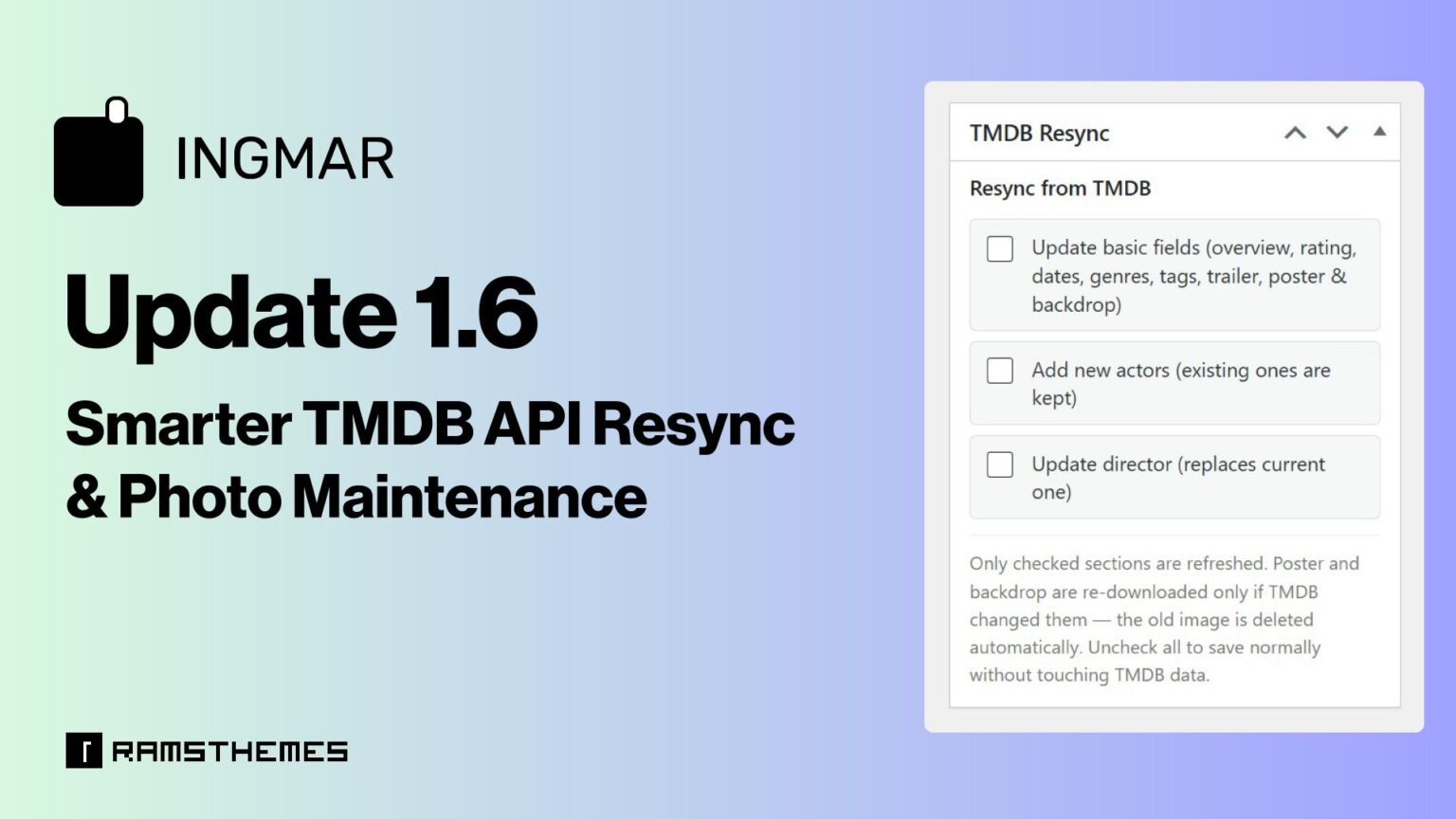
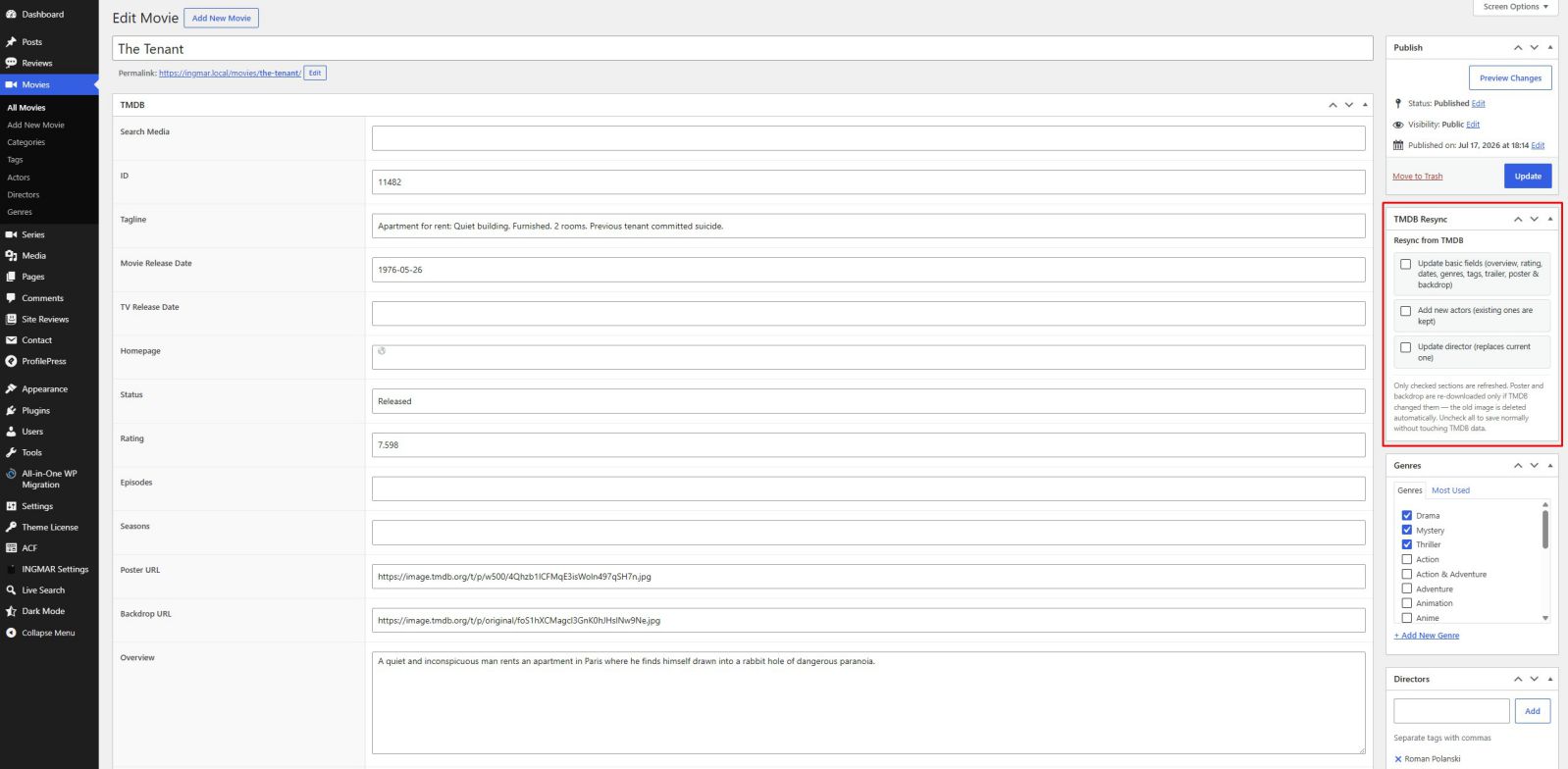
Every movie and series edit screen now has a TMDB Resync box in the sidebar, with three independent checkboxes:
- Update basic fields — overview, rating, release dates, genres, tags, trailer, poster, and backdrop.
- Add new actors — brings in any cast members TMDB has added since the last import, without touching the ones you already have.
- Update director — replaces the current director credit if TMDB’s record changed, instead of stacking a second one on top.
You choose exactly what to refresh. Leave everything unchecked and the post saves normally, with zero calls to TMDB — nothing runs unless you ask it to.
Poster and backdrop images follow the same logic: Ingmar checks whether TMDB’s image path actually changed before doing anything. If it’s the same photo, nothing gets re-downloaded. If TMDB swapped it, the old file is deleted and the new one takes its place — no orphaned images piling up in your media library.
A short loading overlay now appears while a resync is running, so it’s clear the save is doing more than a regular update.
Fixing the “photo went stale”
TMDB updates actor and director photos more often than you’d think. Until now, Ingmar had no way of noticing — once an image was downloaded, it stayed exactly as it was, even if TMDB replaced it months later.
There are now two ways to deal with this:
A one-click check on each Actor or Director term.
Open the Edit Tag screen for any person, and you’ll find a “Check & Refresh Photo from TMDB” button. It compares the photo TMDB currently has against the one stored on your site, and only replaces it if something actually changed — deleting the old file in the process.
Resync when had a previous downloaded image from TMDB API:
Replace old TMDB photo with new
Resync when not has image:
Adds the image from TMDB when photo is not attached to the image field
A bulk maintenance tool, under Tools – TMDB Maintenance
It runs the same check across every actor and director in your database, with a progress bar so you’re not left guessing how far along it is.
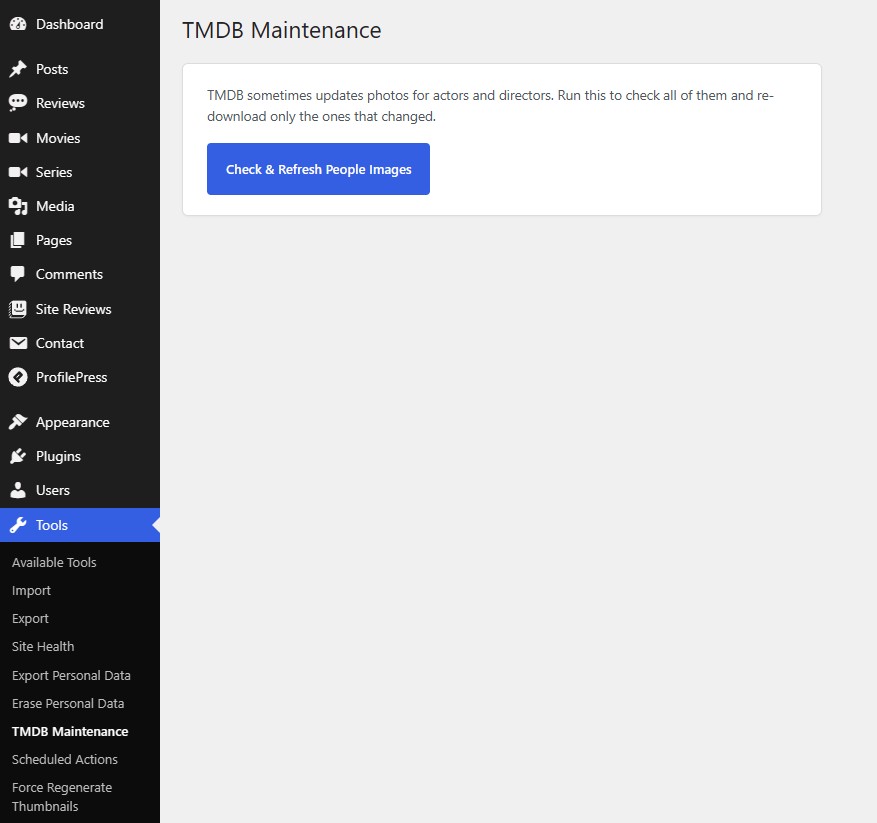
Both paths use the exact same underlying logic, so the result is consistent no matter which one you use. And in both cases, this works whether the current photo came from TMDB originally or was uploaded manually — if TMDB has a newer one, the old file gets replaced. If the image field happens to be empty for any reason, it gets filled in rather than left blank.
No more duplicate people when a director acts too
A new repeater for directors has been added, and an extra field that is automatically filled in when the API detects that the director is also acting and has a role.
Here’s a detail that’s easy to miss until it happens to you: plenty of directors also appear in their own films. Richard Linklater, for instance, shows up briefly in Before Sunrise — the film he directed.
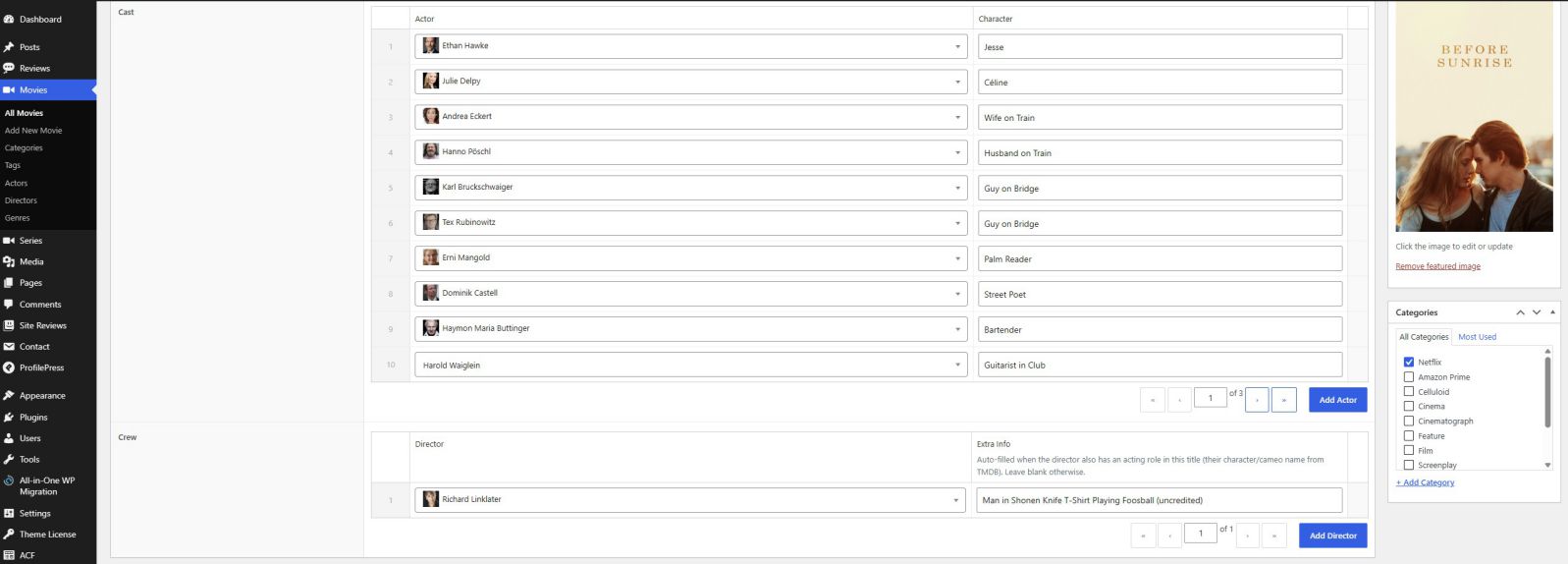
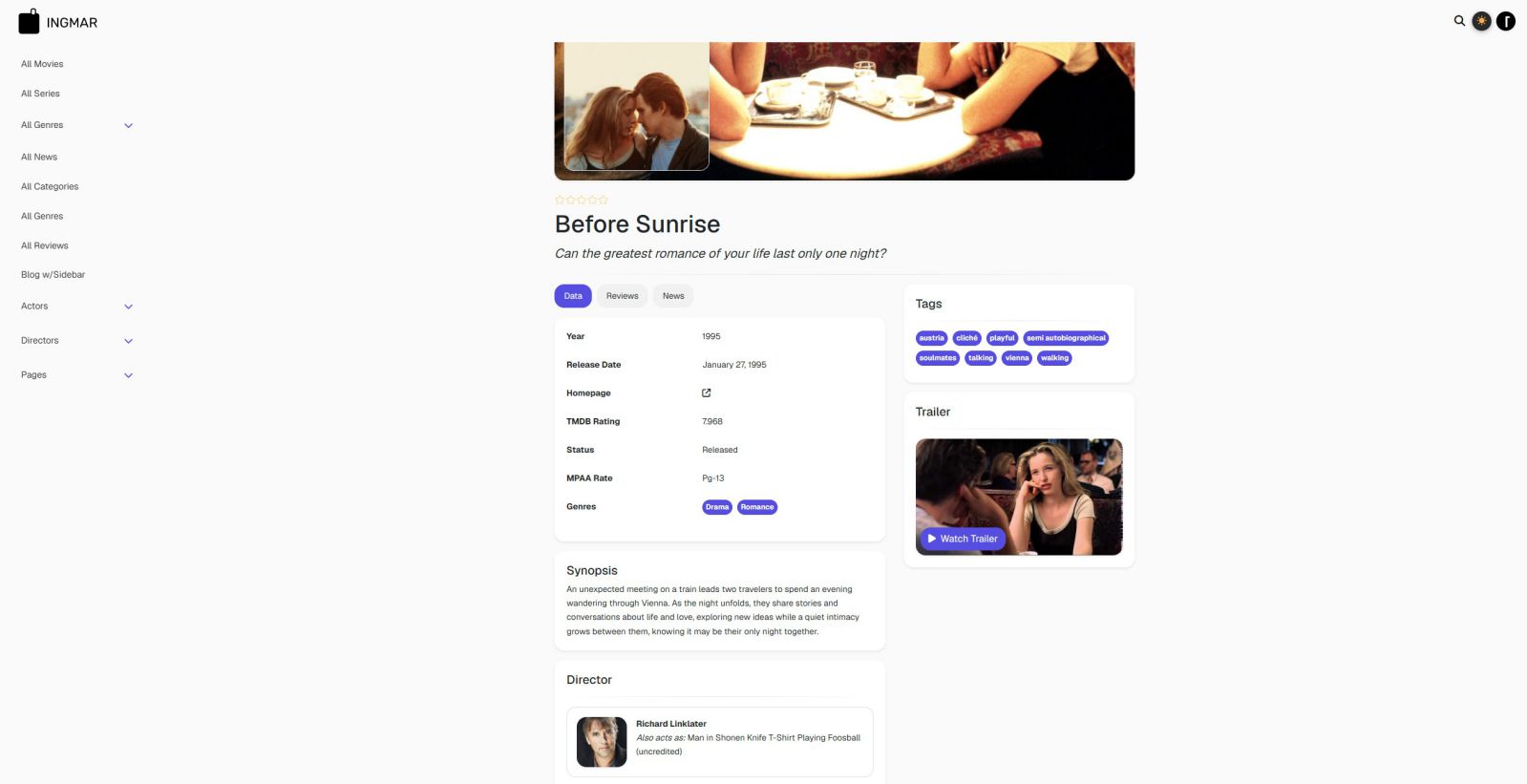
Previously, this meant the same person could end up listed twice: once as Director, once as Actor, with two separate profile photos downloaded for the same face. Ingmar now detects this automatically. If the director’s TMDB ID also shows up in the cast list, they’re not duplicated as an actor. Instead, their played role as actor gets linked directly to their director entry, with the character name saved as extra context — so you get the full picture without a second, redundant person in your catalog.
Why this matters for catalog upkeep
None of this is about adding new content types — it’s about making sure the data you already have stays accurate without redoing the import from scratch every time TMDB updates something. If you’re maintaining a large library of titles, these changes should save real time on the kind of cleanup that used to require manual fixes.
Conclusion
Ingmar continues to set the benchmark for WordPress Movie and TV database themes. With advanced TMDB synchronization, intelligent photo maintenance, automatic duplicate detection, and powerful catalog management tools, it delivers a workflow that simply isn’t available anywhere else. Every update is focused on reducing manual work, keeping your database accurate over time, and giving site owners a level of automation that goes far beyond a traditional WordPress theme. If you’re serious about building a professional TMDB-powered website, Ingmar is in a league of its own.