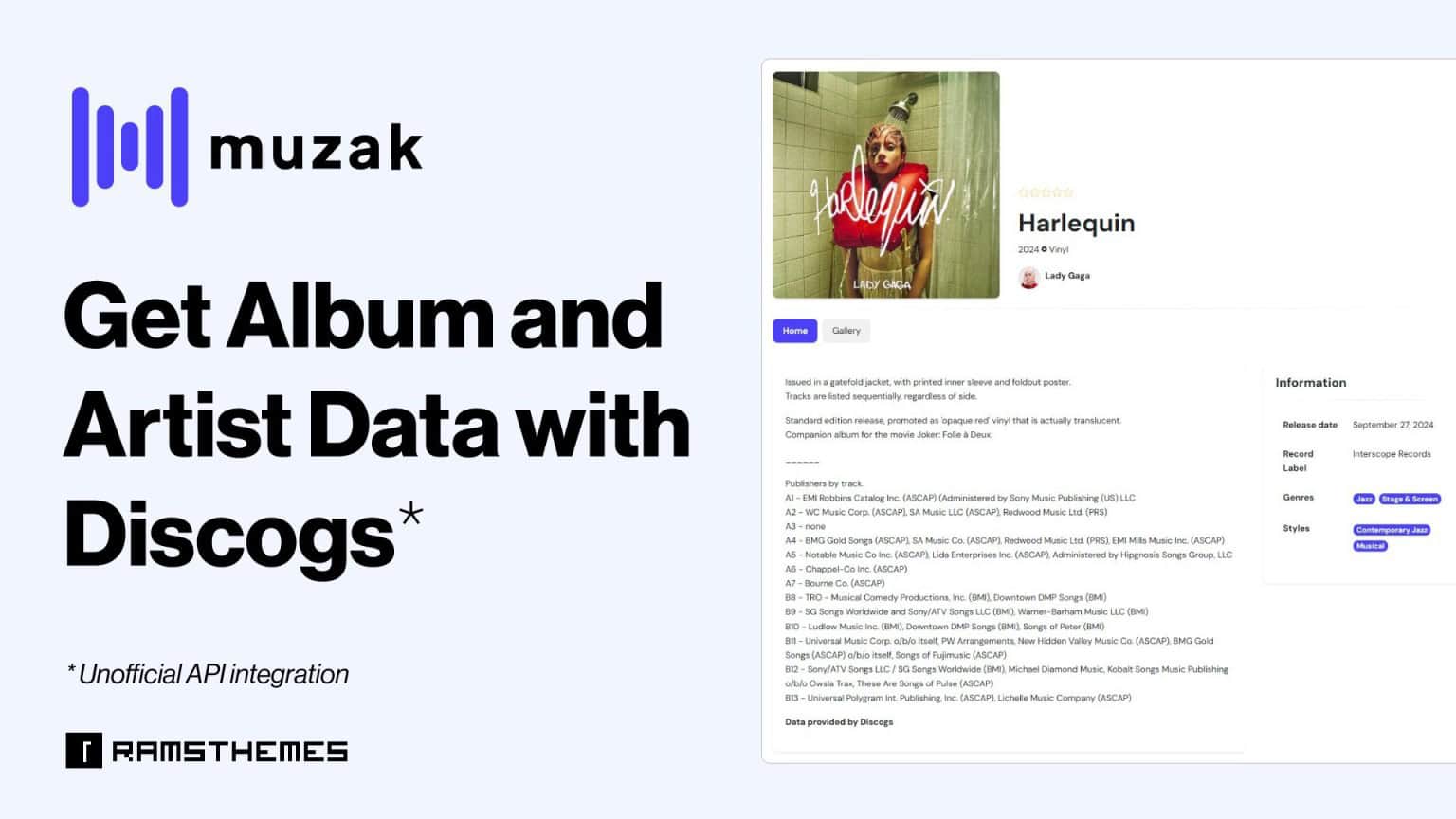
With the Discogs API integration (Unofficial), MUZAK 1.0.7 gives you access to the world’s largest music database, allowing you to easily fetch detailed metadata for albums and artists. Follow this step-by-step guide to set up the API and start importing data effortlessly.
To Set Up Your Discogs API Keys
Connect MUZAK to the Discogs database. You’ll need to create API keys:
- Go to the Discogs website and log in to your account.
- Go to the API section
- Navigate to the Create an App section and generate your Client Key and Secret Key.
- Copy both keys and head to the MUZAK Theme Options in your WordPress dashboard.
- Paste the Client Key and Secret Key into the respective fields in the Options section of the theme.
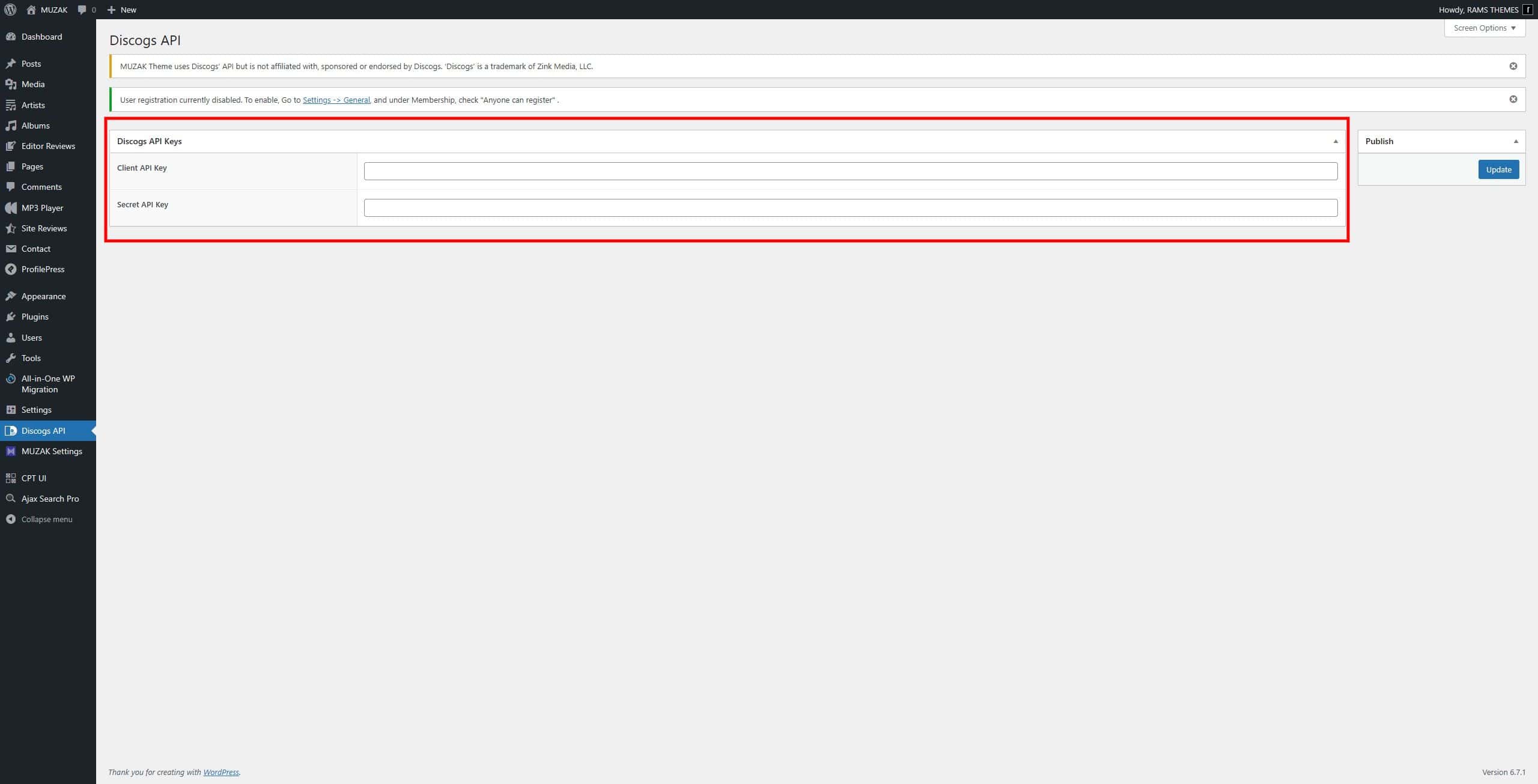
To Import Artist Data
- Go to the Artist post type in your WordPress dashboard.
- Click Add New to create a new artist post.
- Find the artist ID number from Discogs. This can be located in the URL of the artist’s Discogs page (e.g.,
https://www.discogs.com/artist/2445772→ the ID is2445772).
Important: Do not include the letter “a” in the ID. Use the numeric portion only.
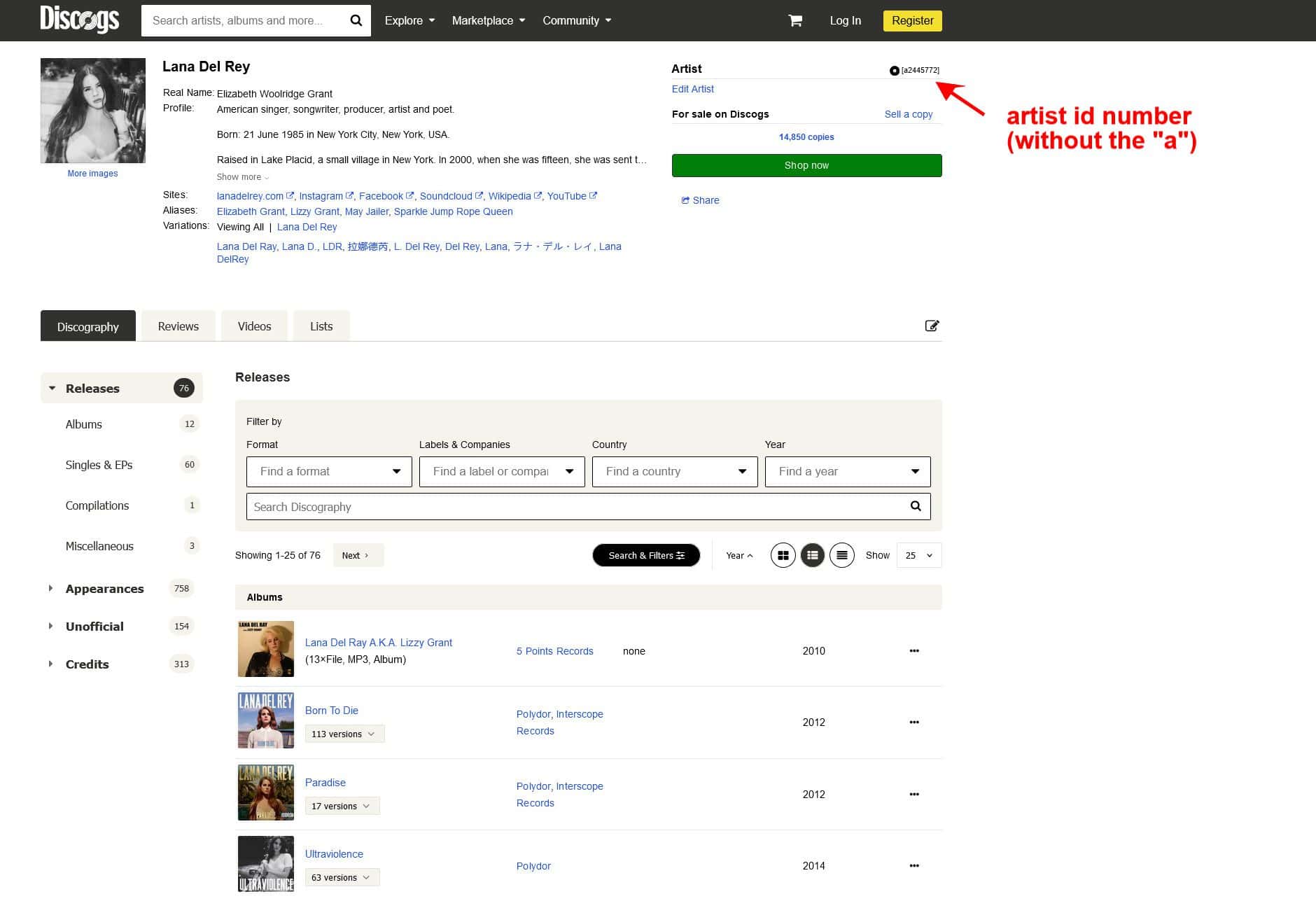
- Enter the artist ID number in the designated field in the post editor.
- Click Save Post. The system will begin fetching the data, and within a few seconds, the artist’s metadata—such as images, descriptions, band members, and websites—will populate automatically.
To Import Album Data
- Go to the Album post type in your WordPress dashboard.
- Click Add New to create a new album post.
- Find the album ID number from Discogs. This can be located in the URL of the album’s Discogs page (e.g.,
https://www.discogs.com/release/3400121→ the ID is3400121).
Important: Do not include the letter “r” in the ID. Use the numeric portion only. Ensure the URL is from a specific release page and not a master page, as fetching works exclusively for releases.
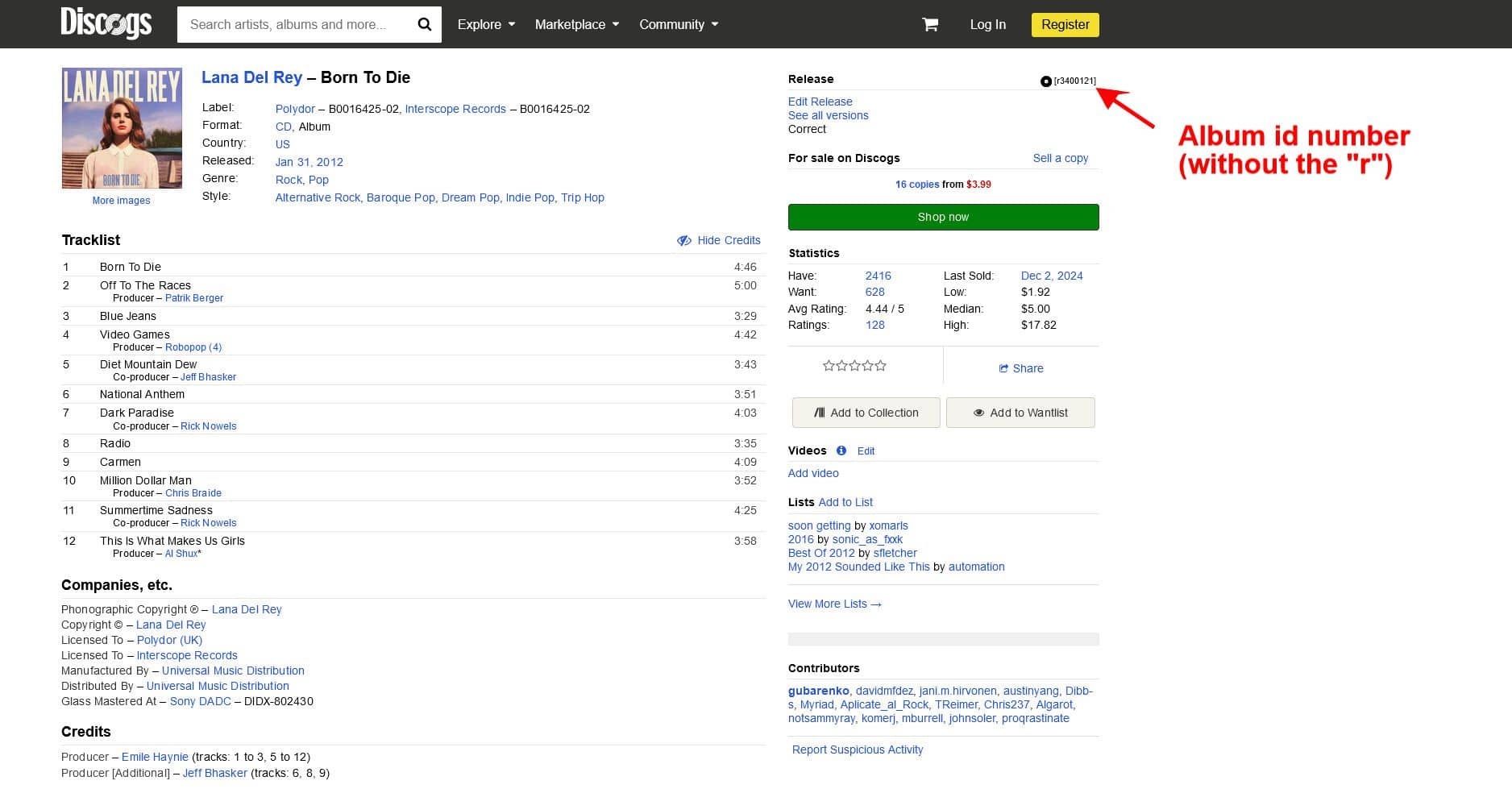
- Enter the album ID number in the designated field in the post editor.
- Click Save Post. The system will begin fetching the data, and within a few seconds, the album’s metadata—such as images, descriptions, tracklists, and websites—will populate automatically.
By following these simple steps, you can quickly build a rich, professional-looking music database with MUZAK and this API integration. Enjoy creating music data like never before!
* MUZAK Theme uses Discogs’ API but is not affiliated with, sponsored or endorsed by Discogs. ‘Discogs’ is a trademark of Zink Media, LLC.