
Introduction
Requeriments
- WordPress installation
- PHP 8.2+
- Basic Knowledge of WordPress (create posts, upload images, install plugins, fill fields, etc.)
Support questions will only be answered by verified customers. License Key is mandatory to get plugin updates.
Installation
Install via WordPress Dashboard
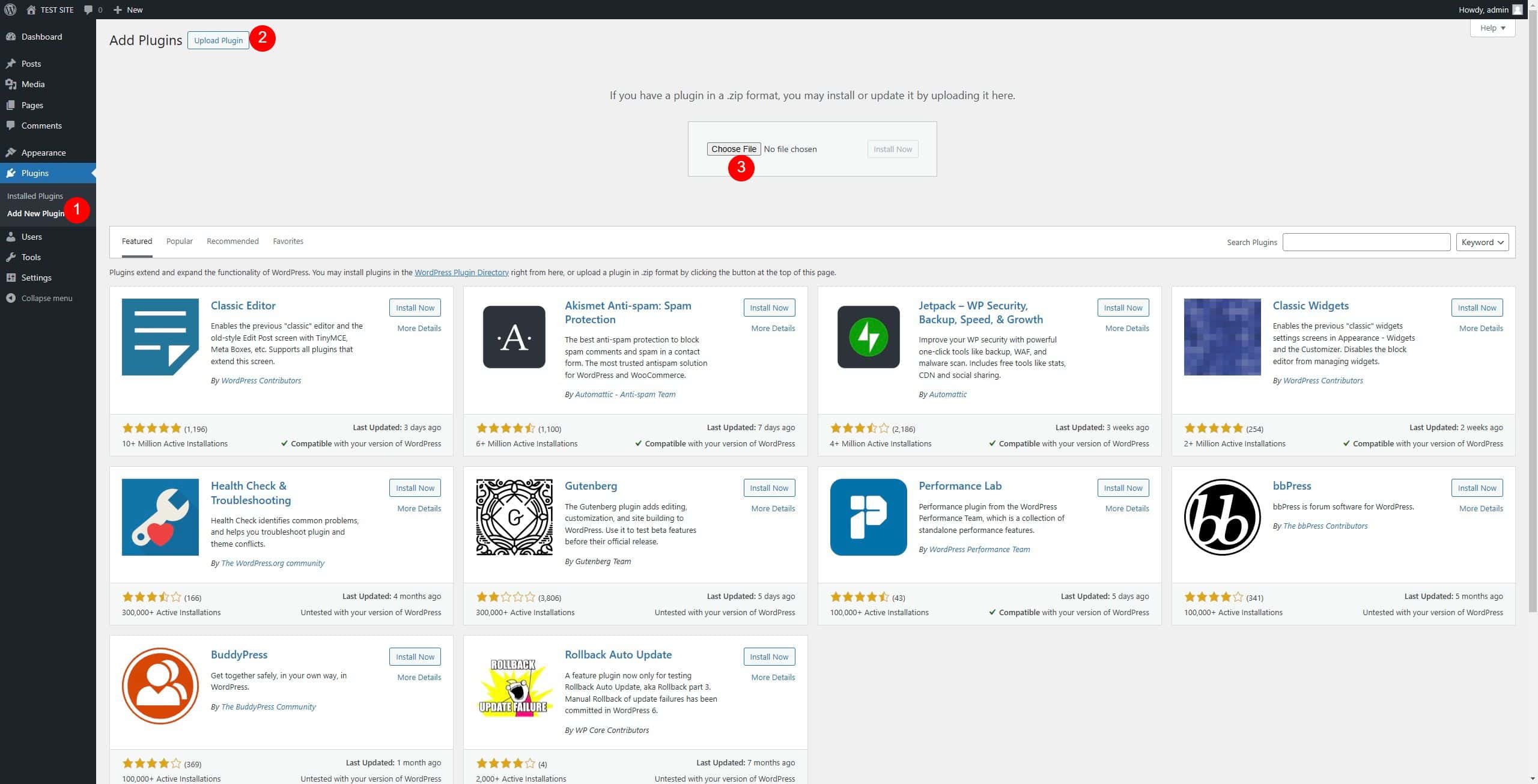
1- Go to Plugins > Add New Plugin section
2 – In the next screen click the Upload Plugin button
3 – Click the Choose File button, select the zip file “animata.zip” downloaded when you bought the plugin and click Install Now.
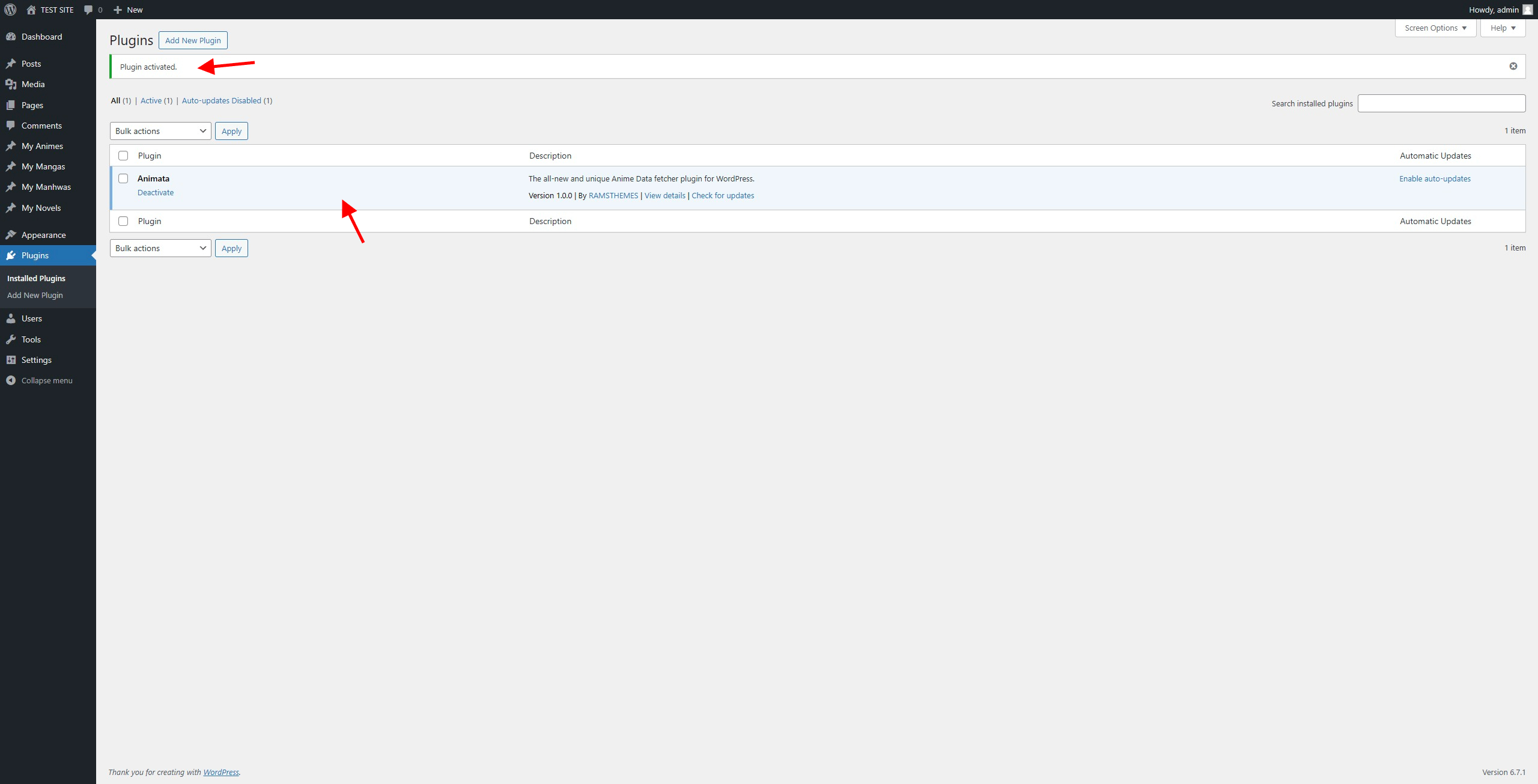
After upload you can activate the Plugin and start using it
License Key
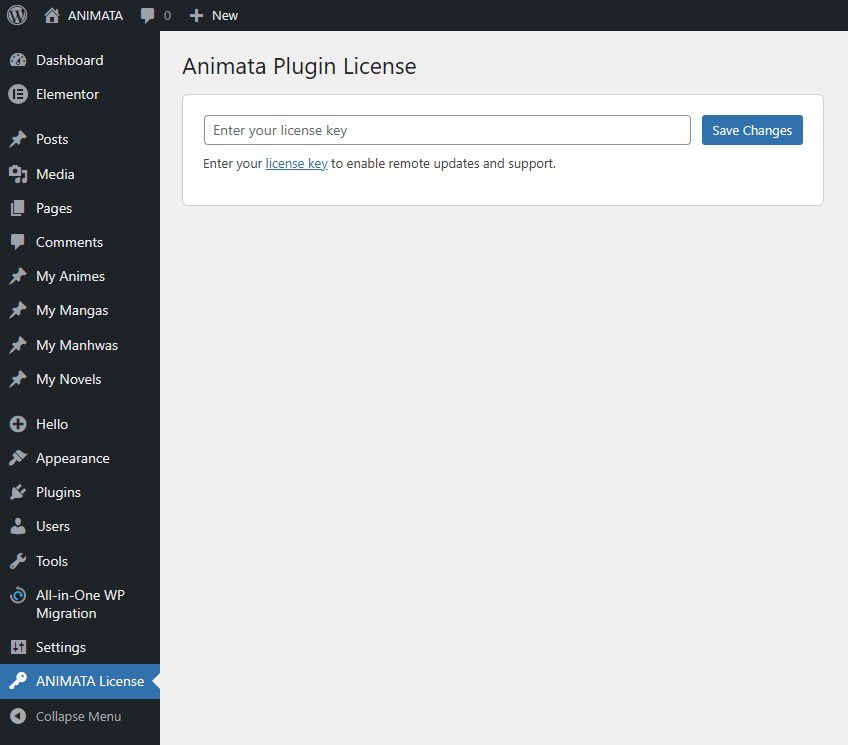
Use the original License Key to get the future plugin updates.
Licenses must always be requested via email or our WhatsApp after making your purchase on Gumroad.
Updates
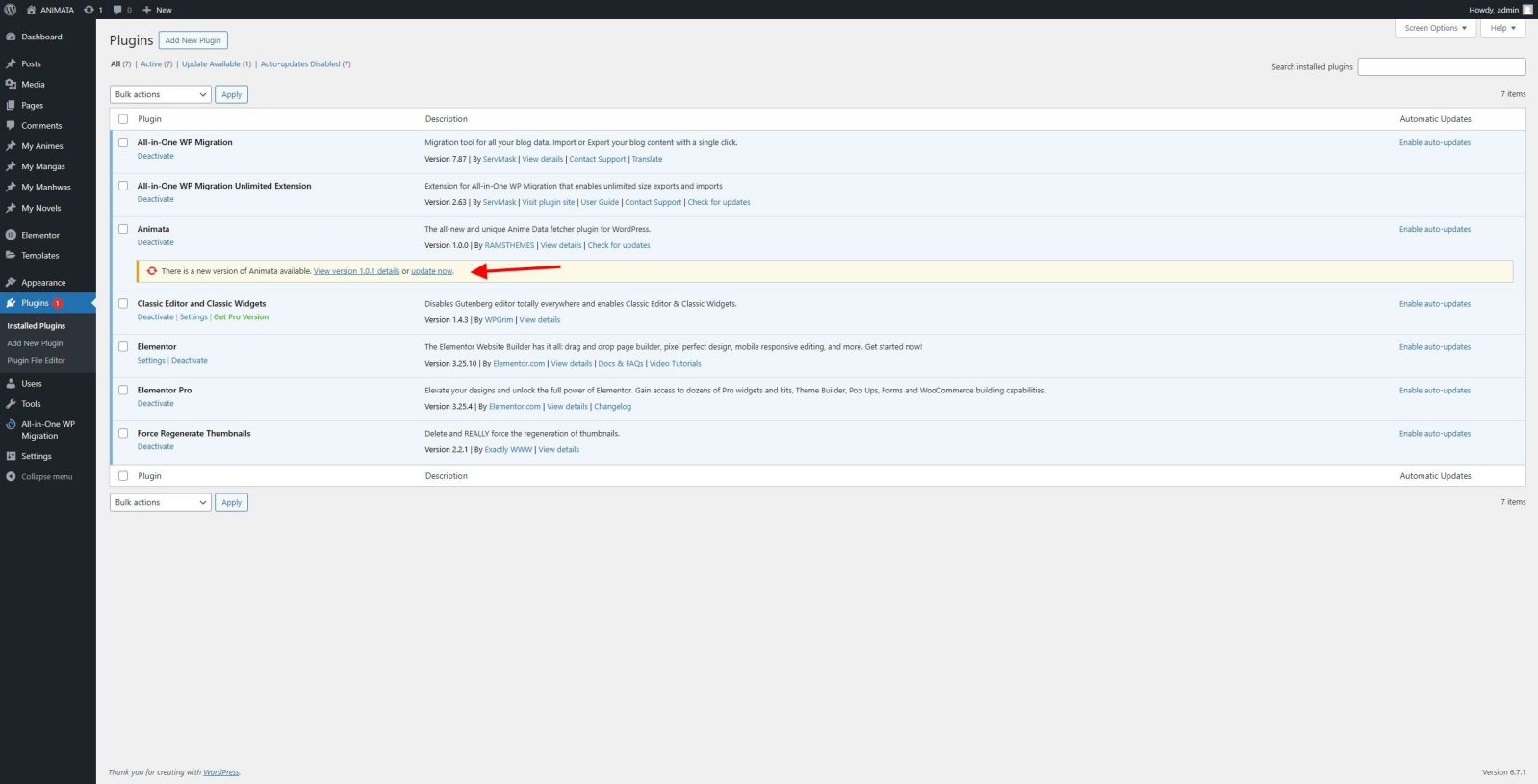
When a new update is released, it will appear like any other plugin update. Simply press “Update Now”. Example:
Operation
The search works by name or by ID (this is recommended for more precise content, since it can happen that several media have the same name). The data search based on name or ID uses the AniList API data existing on the page.
Example:
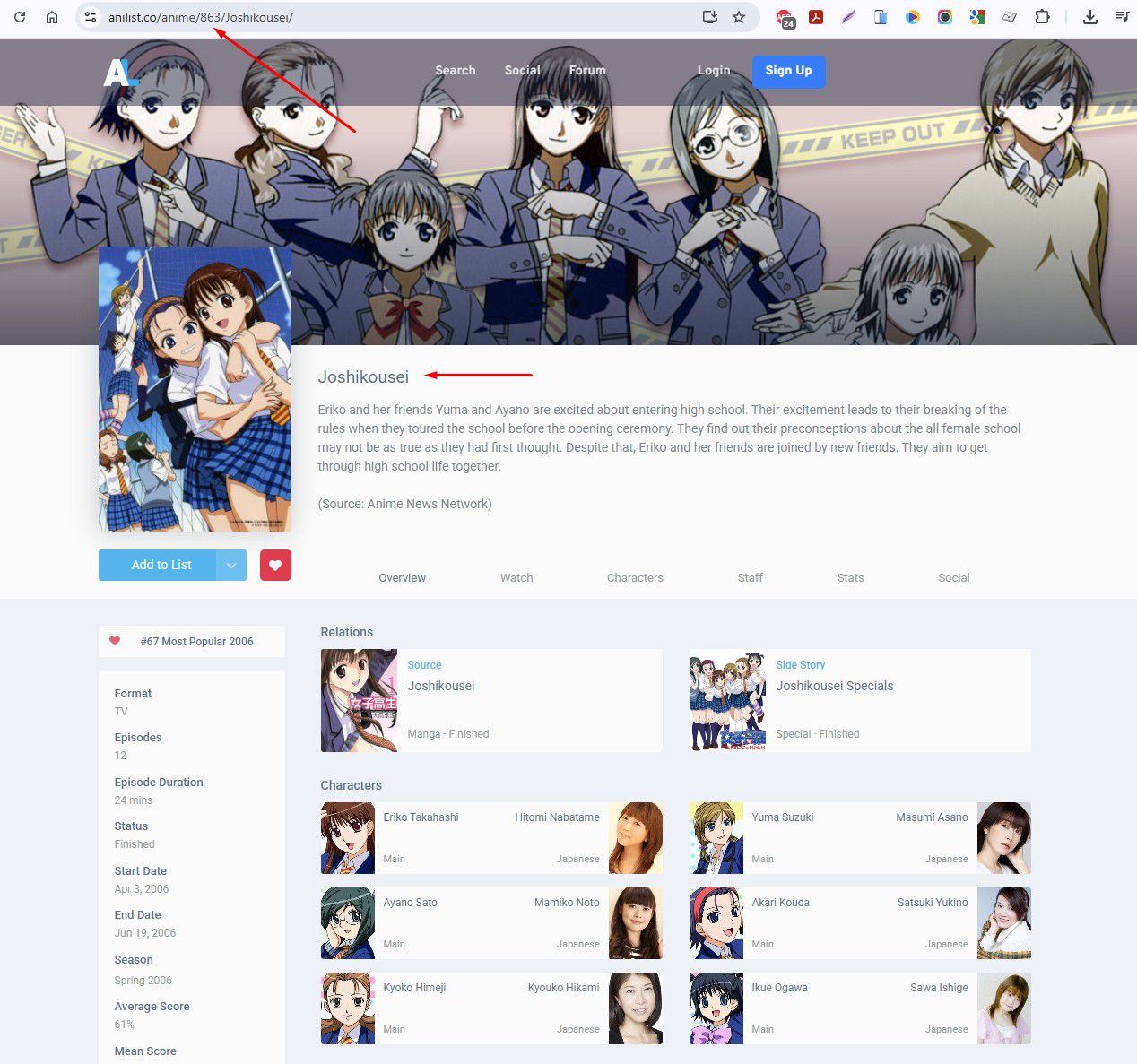
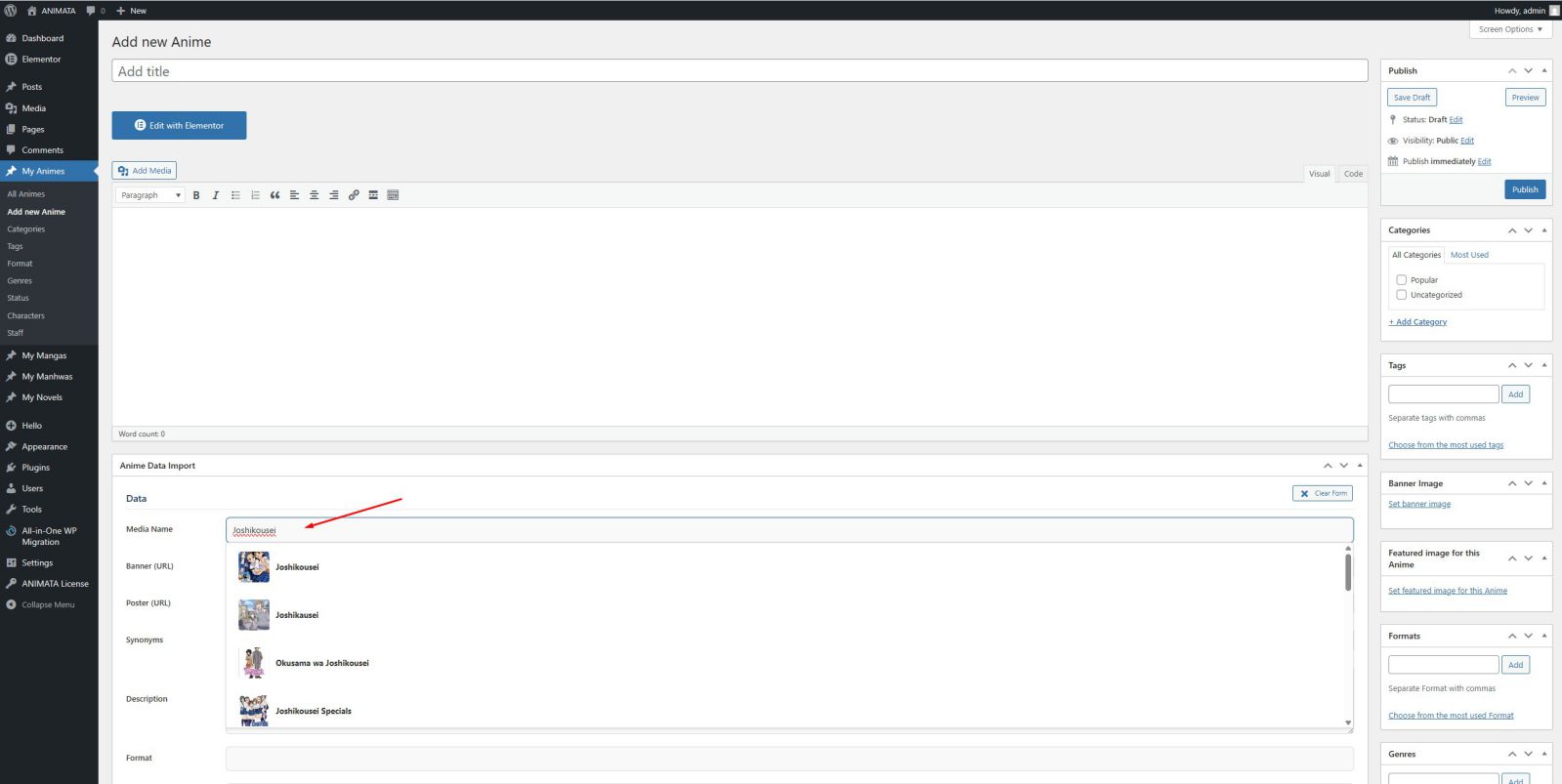
You simply have to create any new Anime or Manga within what you want to publish and use the search box with Name or ID to trigger live search
When select the media, the fields are filled with the data automatically, when it exists.
When you “save post”, it will automatically be saved in the fields.
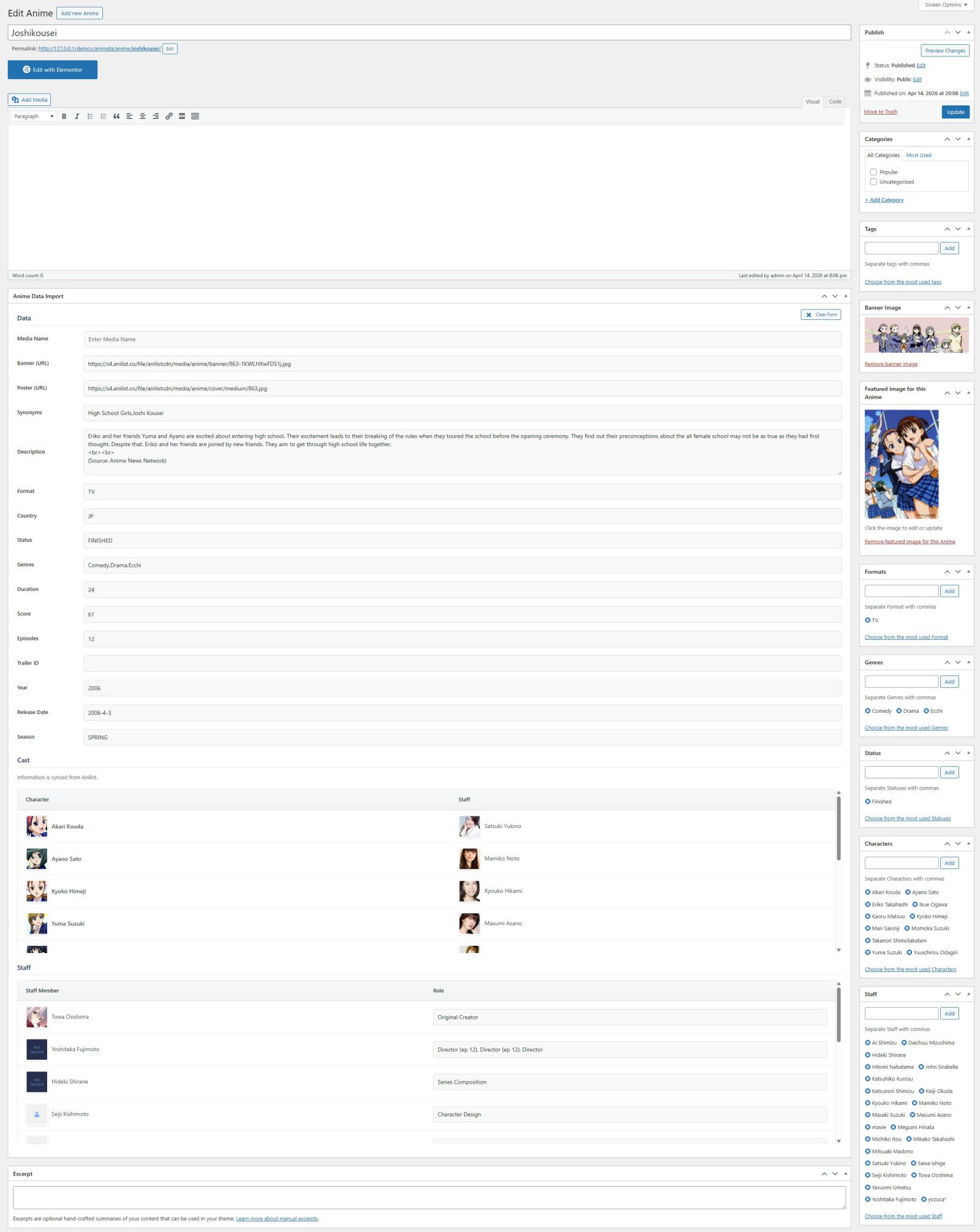
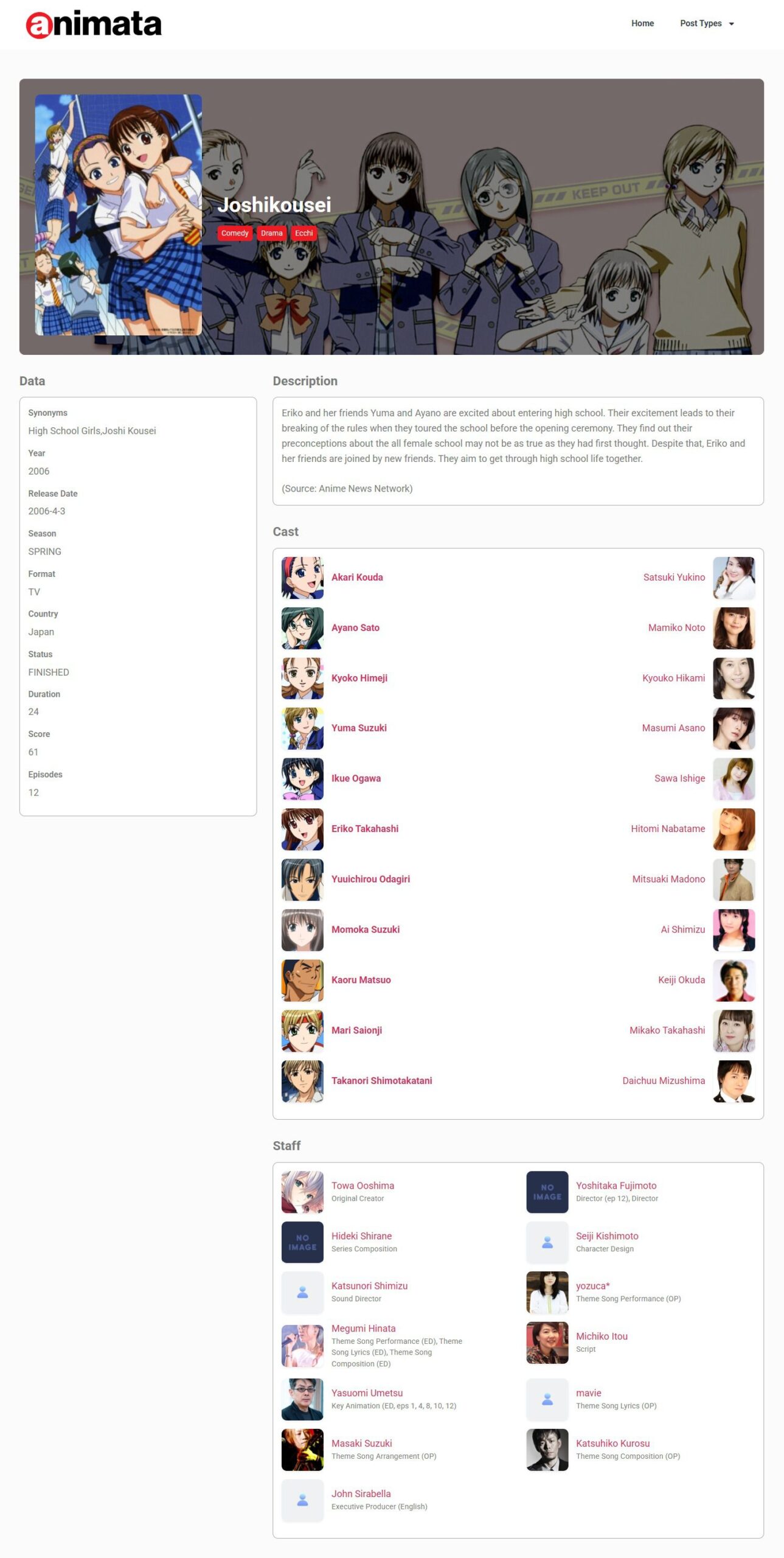
By saving all of these in custom fields, you can also reuse them, creating your own layouts based on the saved meta data.
And that’s it!
Character & Voice Cast Import
Cast Import
Since ANIMATA 1.3, you can now import complete cast details for every anime entry, including:
- Characters
- Voice actors
- Images for both
Everything is saved inside WordPress taxonomies, making it easy to organize and display your data with any theme, Elementor layout, or custom template.
This helps create richer anime pages that look more complete, professional, and engaging for visitors.
Production Staff Import
Version 1.3 also introduces full staff importing, allowing you to store important production credits such as:
- Directors
- Writers
- Key production staff
- Roles and images
This is perfect for building detailed anime database pages with stronger industry context, improving both user experience and your site’s authority in search engines.
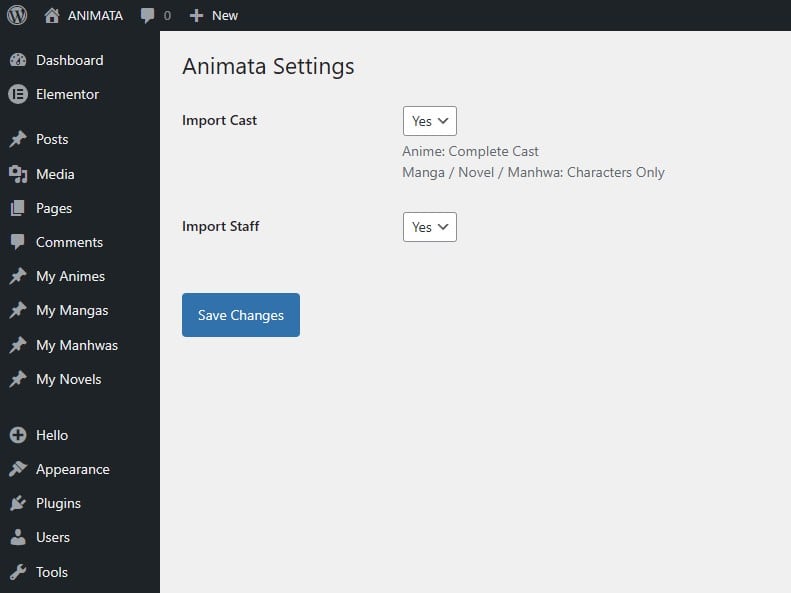
You can decide if any should be imported. Go to Settings – Animata an simply choose:
Shortcodes
Frontend Display Shortcodes Per Field
For Text fields
All shortcodes below accept an optional post_id=”123″ attribute; when omitted, they default to the current post (get_the_ID()), so they work as-is inside a single anime/manga/novel/manhwa template or the_content.
- [animata_description] description (HTML allowed)
- [animata_synonyms]
- [animata_country] (mapped to full name)
- [animata_duration]
- [animata_score]
- [animata_episodes]
- [animata_year]
- [animata_release_date]
- [animata_season]
For Media
- [animata_banner] Secondary/banner image
- [trailer] Embed trailer
- [staff_image] (use on taxonomy term template)
- [character_image] (use on taxonomy term template)
- [term_image] (mixes staff or character, use on taxonomy template)
For Taxonomy terms
Builds a “list this post’s terms for a taxonomy, linked to their archive” shortcode callback. Falls back to the plain text meta field if no term is assigned yet, so nothing silently disappears for older/partially-synced content.
- [animata_format]
- [animata_status]
- [animata_genres]
Demo
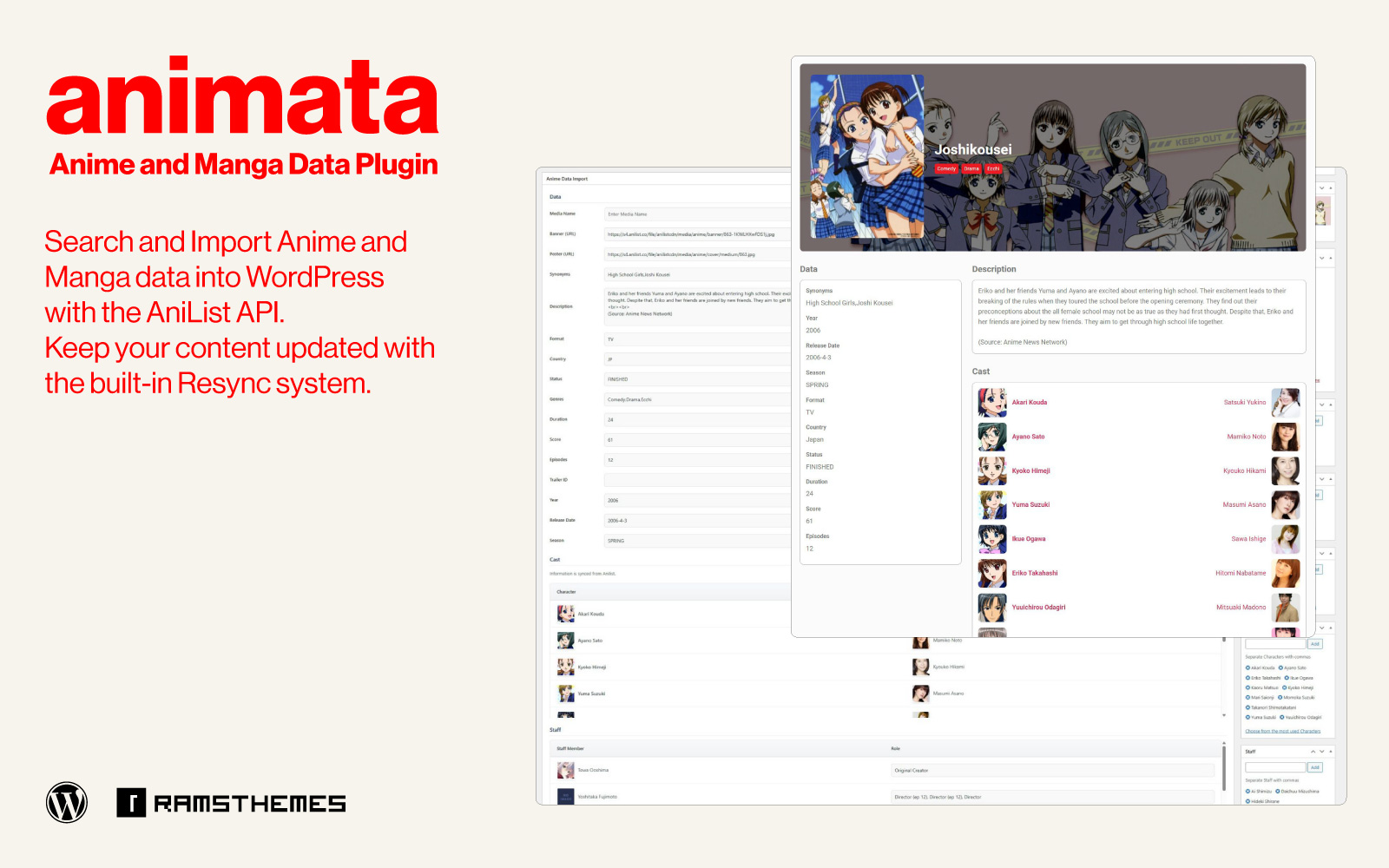
The plugin works by creating a custom content that is automatically rendered on a new media template. It already has predefined CSS styles to use on the frontend; all this allows it to work with practically any theme, although we recommend its use in themes using Elementor or your favourite page builder.
Anime/Manga/Novel/Manhwa are the main post types. Format, Genres, Status, Characters and Staff are saved as custom taxonomies. Rest of fields are custom fields stored on database.
Demonstration example of workflow in video
You can see detailed product samples in the product demo page* 👈
* Theme used in demo is a custom elementor template used only for Showcase purposes.