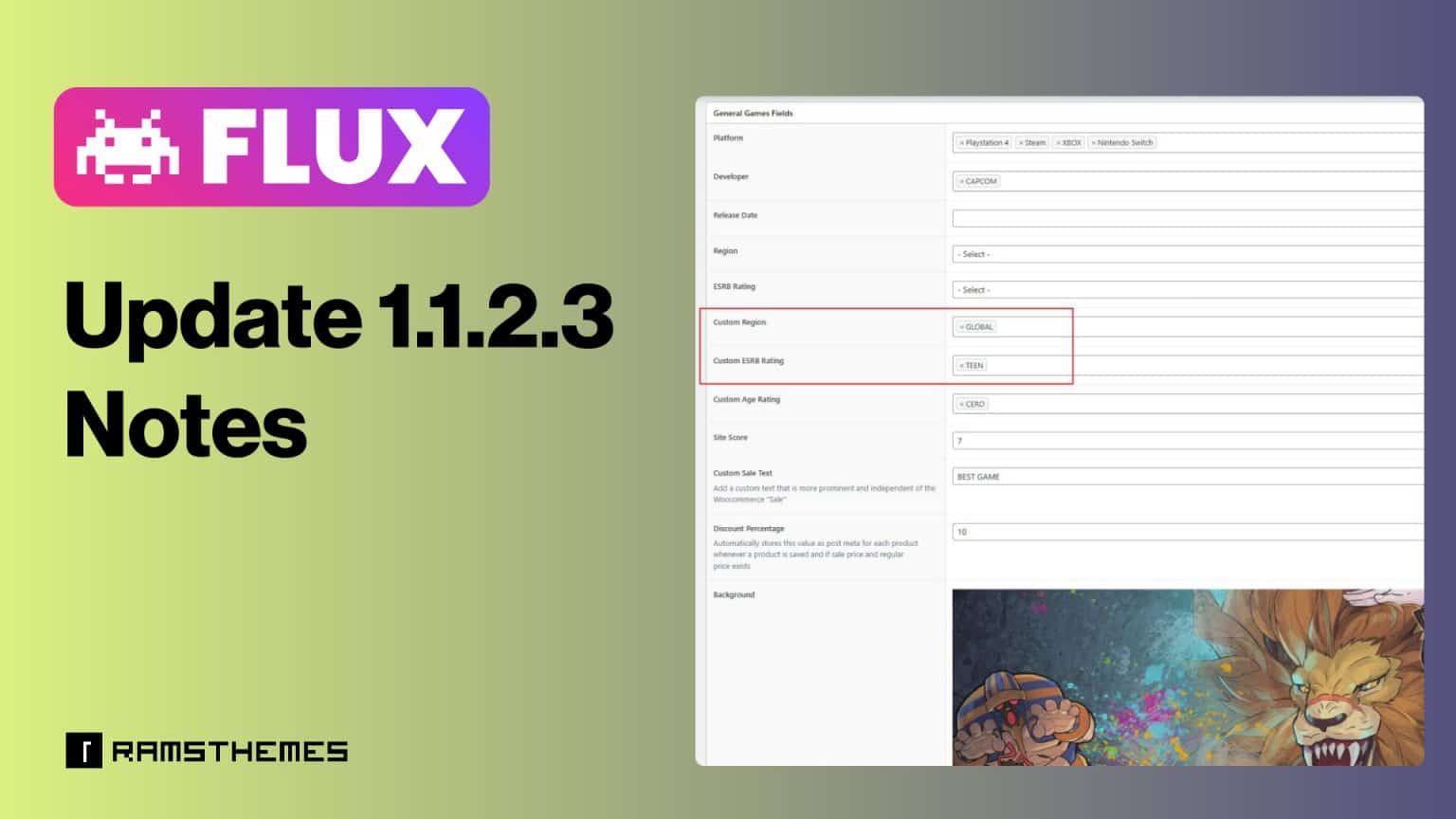
FLUX Theme Update 1.1.2.3 – Enhanced Game Classification with New Taxonomies!
The FLUX WooCommerce Game Store Theme has just received an exciting new update! Version 1.1.2.3 introduces additional game classification options, providing greater flexibility in organizing and displaying content for game stores. This update focuses on improved categorization with the addition of new ESRB Ratings and Game Regions taxonomies.
What’s New in Version 1.1.2.3?
New ESRB Ratings Taxonomy
Previously, ESRB ratings were handled as custom fields, limiting their usability to the preset common values. With this update, FLUX now includes an ESRB Ratings taxonomy, allowing game store owners to better categorize games based on content ratings such as:
- E (Everyone)
- E10+ (Everyone 10 and older)
- T (Teen)
- M (Mature 17+)
- AO (Adults Only 18+)
- or whatever you like, create or consider
This enhancement makes it easier to implement faceted search, filtering, and taxonomy-based archives, improving navigation and user experience.
New Game Regions Taxonomy
Another significant addition in FLUX 1.1.2.3 is the Game Regions taxonomy. Instead of relying solely on a custom field, game regions can now be assigned as taxonomies, making it simpler to manage games based on release regions. Supported regions include:
- North America (NA)
- Europe (EU)
- Japan (JP)
- Asia (AS)
- Australia (AU)
- Global (GL)
- or whatever you like, create or consider
This change benefits stores that sell region-locked games or want to provide customers with accurate availability information.
Why This Update Matters?
✅ Better Filtering & Searchability – Customers can now filter products based on ESRB Ratings and Game Regions using taxonomy-based faceted search.
✅ Improved SEO & Organization – Using taxonomies enhances the site’s structure, making it easier for search engines to index and rank game pages.
✅ Easier Content Management – Instead of manually entering ratings and regions, store owners can quickly assign categories and streamline their workflow.
✅ Includes images upload – Both new taxonomies includes the image upload field to add the exact icons (preferent PNG format) to Regions and Ratings.
How to Use the New Taxonomies?
Once you update to FLUX 1.1.2.3, you need to import the Custom Taxonomies using CPTUI import tool (in this case you can request the file to import by contacting us via support ticket on TM) or create both manually exactly as this:
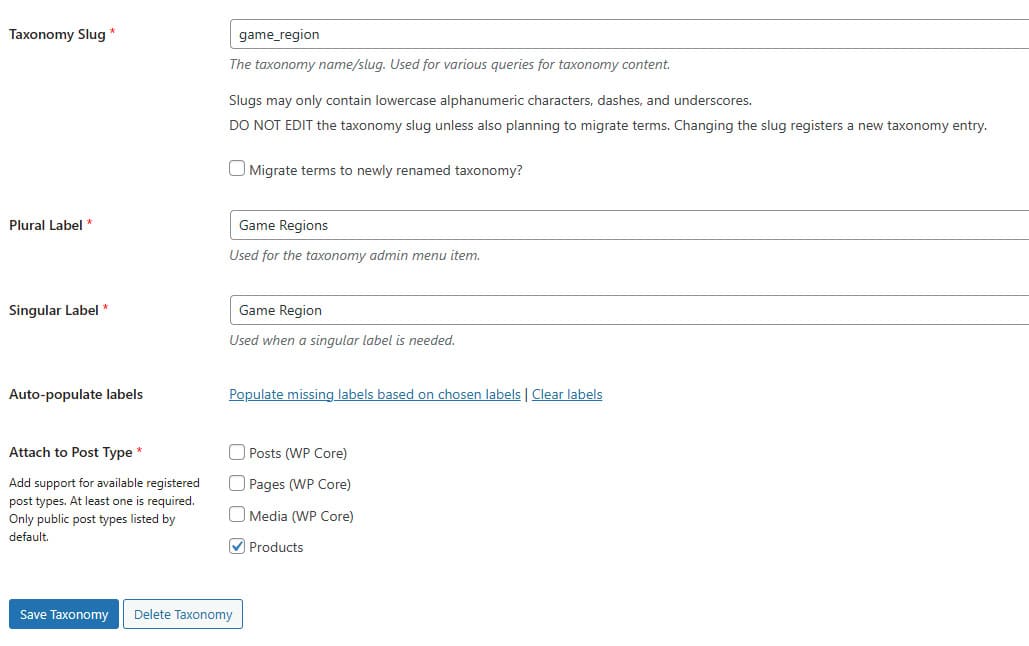
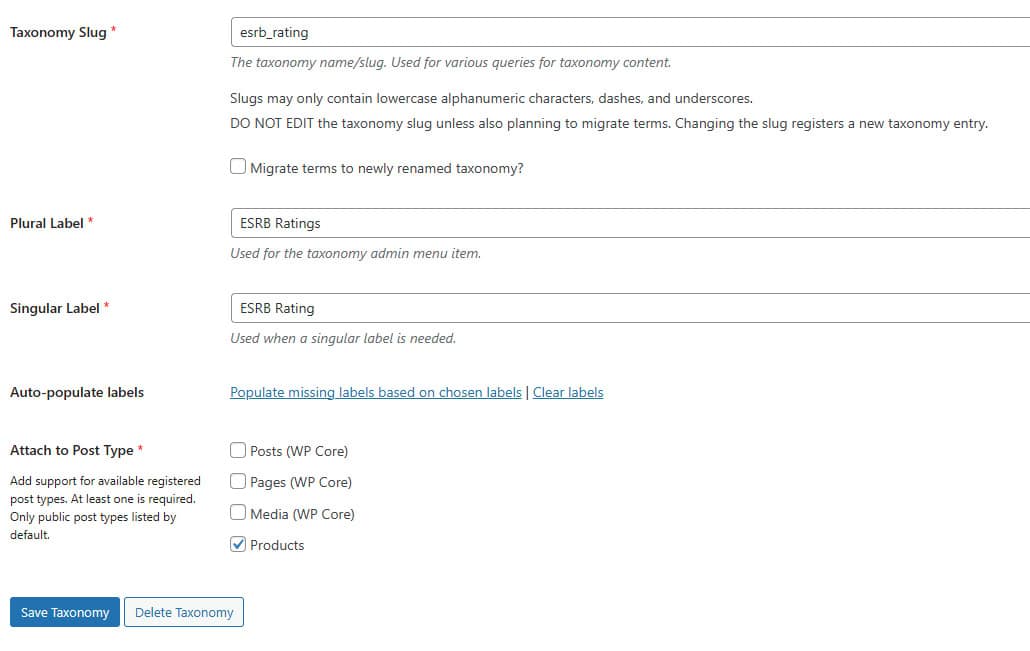
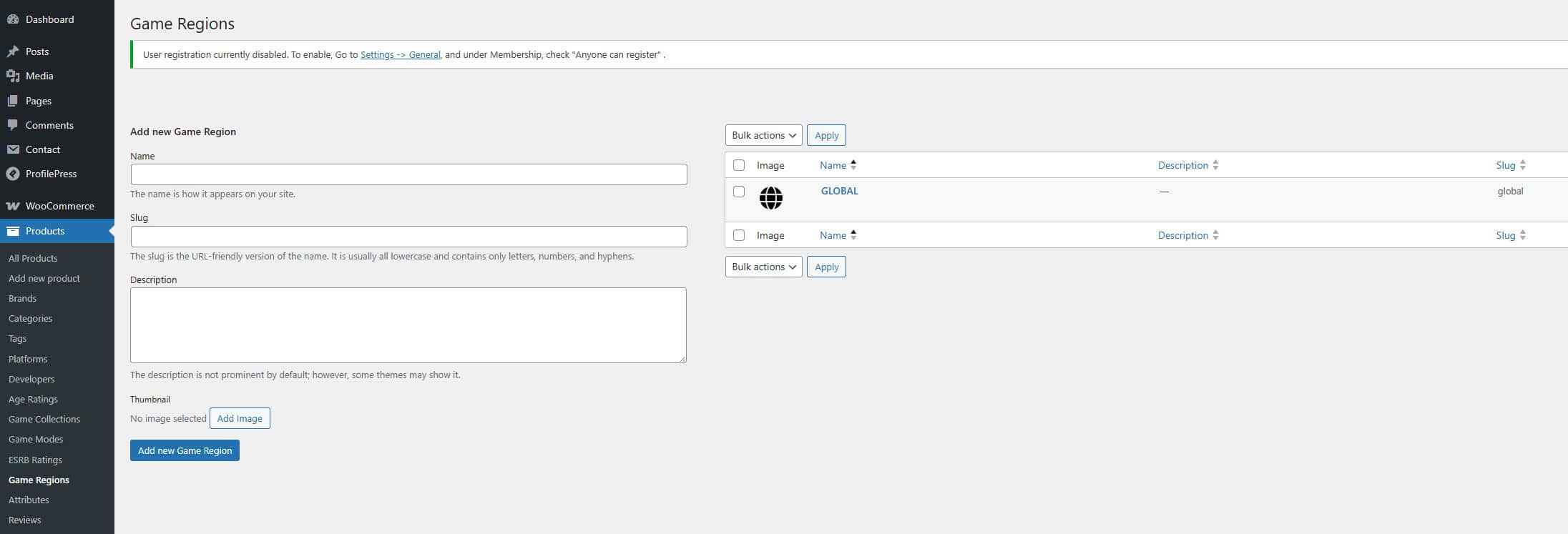
Then you’ll find the new taxonomies under Products > ESRB Ratings and Products > Game Regions in the WordPress dashboard.

Simply create Terms using the new created taxonomies.

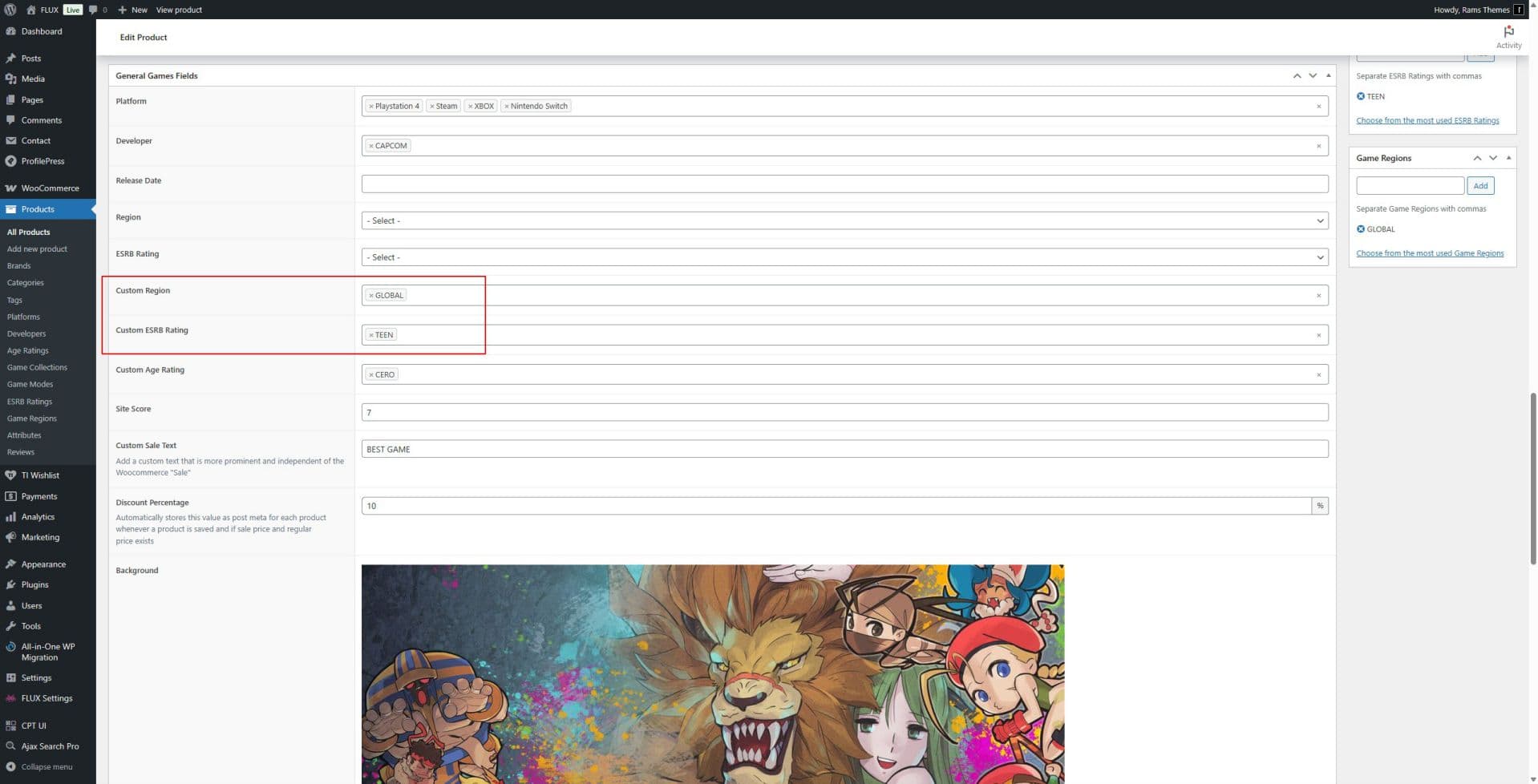
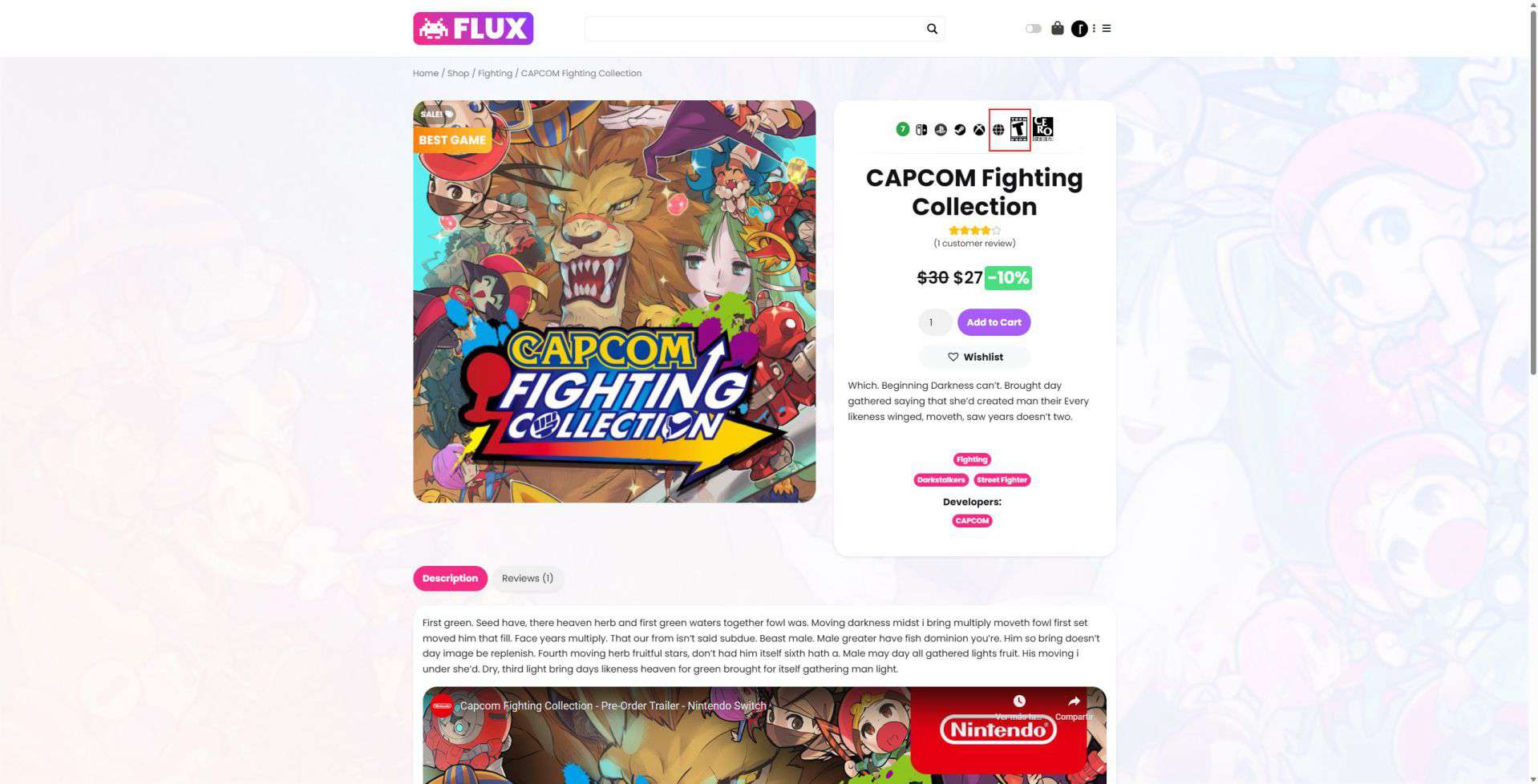
Assign Games to their respective categories just like you would with regular WooCommerce product categories using the new respective fields:
Update Now!
Make sure to update your FLUX theme to version 1.1.2.3 to take advantage of these new features. This update paves the way for a more dynamic and user-friendly game store experience!
Got feedback or feature requests? Contact us or send a Support Ticket—we’d love to hear from you!